

What can go through an approval workflow
Approval workflows can be set up for twelve kinds of document. Each kind has its own panel on the Approval workflows screen, and each is judged on its own value. Use this list to decide which workflows your company needs.
The kinds of document
Section titled “The kinds of document”| Kind | Its value, ex GST | Sent from | Waits until it is approved |
|---|---|---|---|
| Purchase orders | The order’s total | The order | Sending it to the supplier, and sending it to Xero or QuickBooks |
| Subcontracts | The contract sum | The subcontract | Issuing it for signing. Approving it approves its purchase order |
| Subcontract variations | The size of the change, addition or deduction | The subcontract’s Variations tab | Adding it to the subcontract’s value |
| Variations | The sell price | The variation | Sending it to the client, giving the client a link or putting it on the client portal, and approving it, so it cannot be applied to the BOQ either |
| Extra to Schedule | The amount the supplier invoice is over its order | Saving the reason on the invoice | The expense approval, marking the invoice paid and sending it to accounting |
| Expenses | The invoice’s lines | The supplier invoice | Marking it paid, sending it to Xero or QuickBooks, and asking for payment approval |
| Payments | The invoice | The supplier invoice, once its expense is approved | Marking it paid |
| Subcontractor claims | This certificate, before retention | The claim | Certifying it. A subcontract deposit goes through this workflow too |
| Retention release | The amount released | Release retention, on the subcontract in Subcontractor Claims | Releasing it |
| Head contract claims | This claim, after retention | The claim | Approving it, by your staff or by the client in their portal |
| Daywork sheets | The sheet’s total | The signed sheet | Pricing it into a variation |
| Finishes custom requests | The price | The request | Sending the price to the buyer |
Good to know
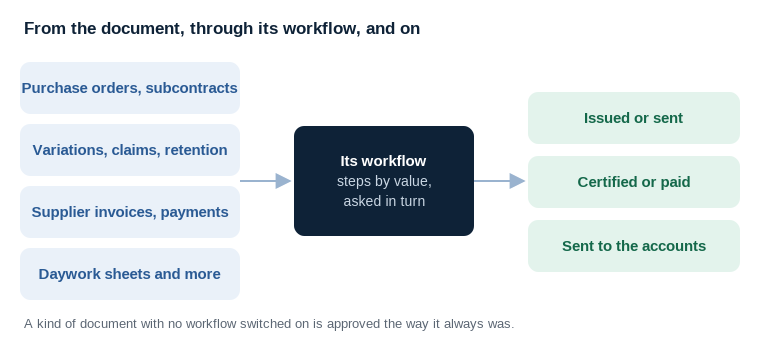
Section titled “Good to know”- A kind with no workflow, or with its workflow switched off, works as it always did: approved in one step by anyone with that module’s approve permission.
- A document whose value is below every step’s range is not held. It is approved straight away, and its history says so.
- Supplier invoices, variations and head contract claims made before their workflow was created are not held. An older one can still be sent by hand.
- The demo project is never under a workflow, so nobody is asked to approve made-up documents.
- Variations and head contract claims are your own sign-off before the client sees them. The client’s own approval still follows, as before.
- A head contract claim made against payment stages is not covered, only one made against the schedule of values.
- A supplier invoice made by certifying a subcontractor claim needs no expense approval: the claim was approved already. Its payment can still need approving.
- A supplier invoice goes in a fixed order: Extra to Schedule first, then the expense, then the payment.
- If a document’s value rises after it was approved, it needs approving again.
- Applying a variation to the BOQ can change purchase orders. An approved order that has not been sent and whose value changes needs approving again; one that is waiting is sent again at its new value, from the first step. You are shown which orders before you apply it.