

Record a trust account deposit or withdrawal
When money goes into or out of the trust account, record it against the retention it was for, from the bank statement.
Before you start
Section titled “Before you start”- You need the “Record trust account entries” permission. Nobody but an administrator has it until it is ticked under Users.
- The trust account record is switched on and the account covers the project.
-
Open Retention Register, the Trust account tab, and click the account.
-
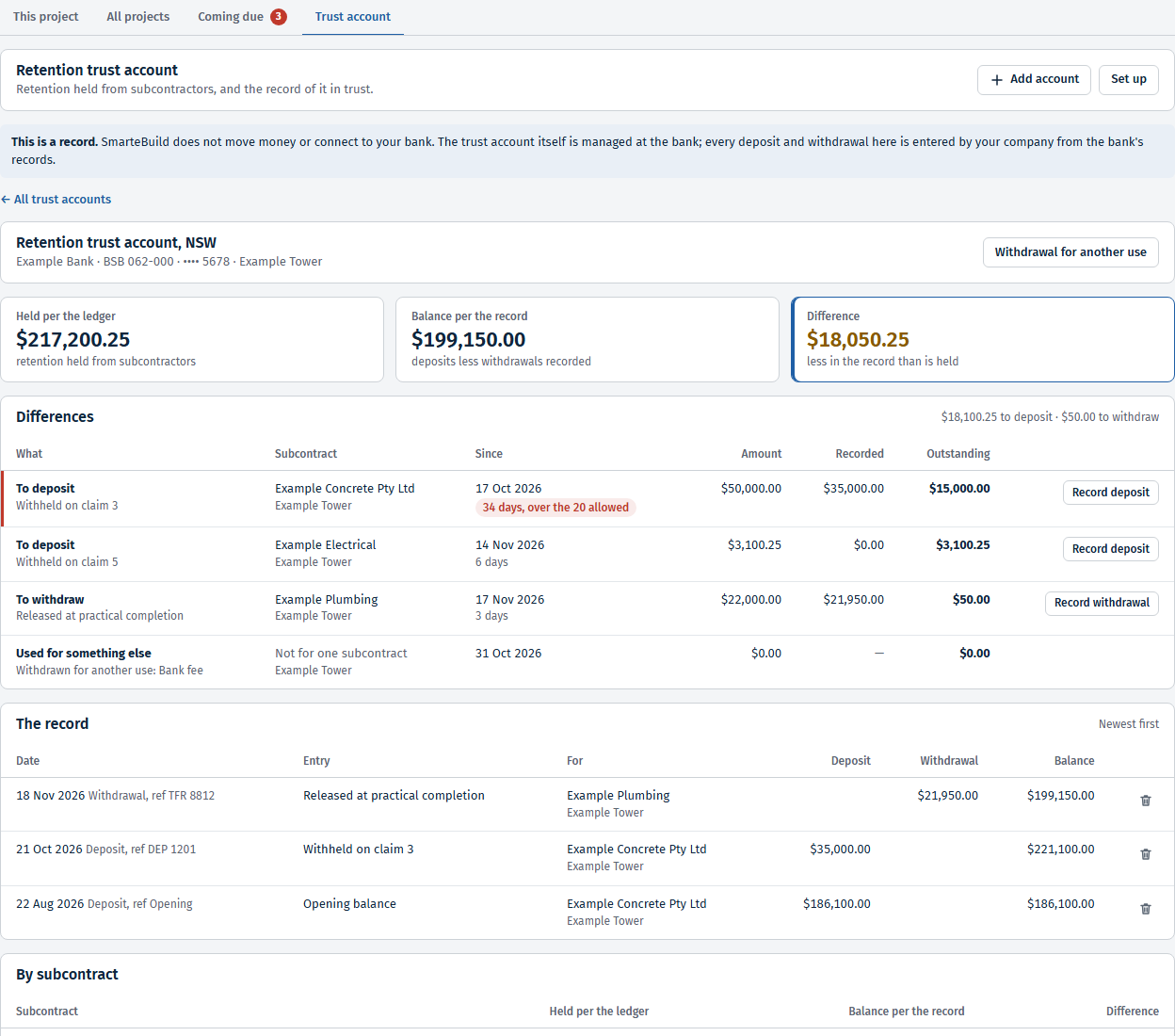
Under Differences, each amount withheld that is not yet deposited, and each release not yet withdrawn, has its own row. Choose Record deposit or Record withdrawal on the row.
-
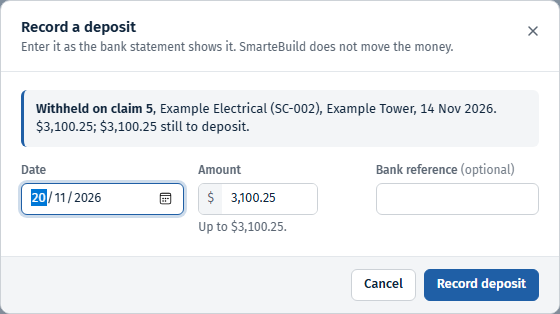
Type the Date and Amount as the bank statement shows them, and the Bank reference if there is one. The amount can be part of what is outstanding, never more.
-
Choose Record deposit or Record withdrawal.
What happens next
Section titled “What happens next”The row’s outstanding amount goes down, and goes once it is all recorded. The account’s difference and its statement include the entry.
Good to know
Section titled “Good to know”- For money taken out for something other than a release, such as bank fees, choose Withdrawal for another use at the top of the account. Used for is required. Whether a use is permitted is for you and your state’s rules.
- A deposit is always for an amount withheld; there are no deposits that are not linked to retention.
- An entry made by mistake is struck out, not changed. The struck-out entry is kept with who did it and when.
- An opening balance needs a deposit like any other amount withheld. Retention released before SmarteBuild needs no withdrawal.