

Set up the trust account record
If your company holds subcontractor retention in a trust account, keep a record of it here: what went into the account and what came out, against the retention it was for. SmarteBuild does not connect to the bank and does not move money. The account is managed at the bank; this is the record of it.
Before you start
Section titled “Before you start”- You need the “Set up trust accounts” permission. Nobody but an administrator has it until it is ticked under Users.
-
Open Retention Register and the Trust account tab. Choose Set up.
-
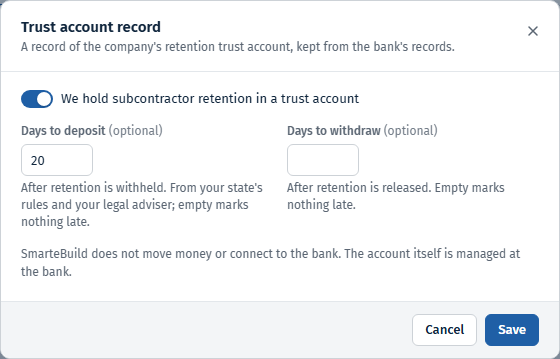
Switch on We hold subcontractor retention in a trust account.
-
If you have them, type Days to deposit and Days to withdraw. Leave them empty and nothing is marked late.
-
Choose Save.
-
Choose Add account. Type the Account name, Bank, BSB and Account number as the bank has them.
-
Tick the projects the account covers. A project can be on only one account at a time.
-
Choose Add account.
What happens next
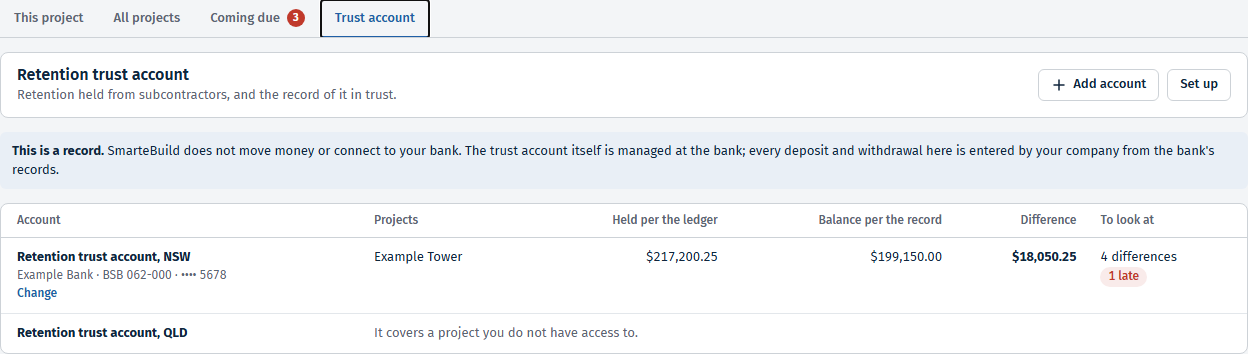
Section titled “What happens next”The account is listed on the Trust account tab. Click it to see what needs depositing or withdrawing against the retention held on its projects.
Good to know
Section titled “Good to know”- The account number is shown in full only when the account is changed; elsewhere only its last four digits.
- Change on an account changes its details or its projects. A project with entries cannot be taken off.
- When an account is no longer used, choose Change and switch on The account is closed: nothing more is recorded on it.
- Whether you must hold retention in trust, and the days allowed, depend on your state’s rules. None is built in.