

See what needs you today
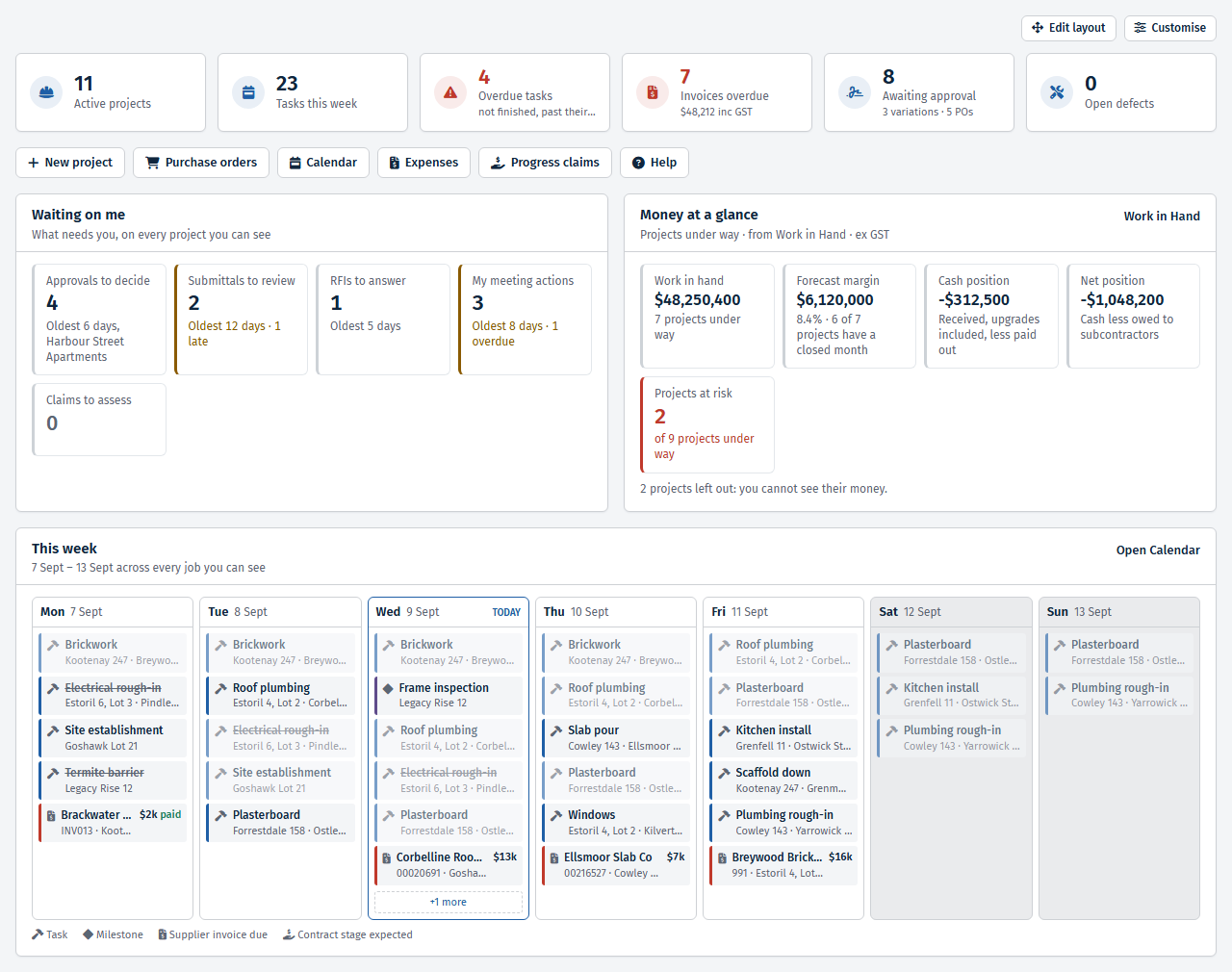
Start the day on the Dashboard: it counts what is waiting for your decision on every job, and each figure takes you to the thing itself.
Before you start
Section titled “Before you start”- Anyone who can open the Dashboard can do this. The figures you see depend on the modules and permissions you have.
-
Open Dashboard from the menu on the left.
-
To look at every job, leave the project on the left unchosen. To look at one job, choose it on the left. The line under each card’s title changes to say which.
-
Read Waiting on me: Approvals to decide, Submittals to review, RFIs to answer, My meeting actions and Claims to assess. Under each count is the age of the oldest, and how many are late or overdue.
-
Click a figure to open its module. Where the figure counts one thing, it opens that thing, for example the one RFI waiting for your answer.
-
Go back to the Dashboard and work down the other cards the same way: Claims and payments due, Compliance alerts, Safety and the rest.
Good to know
Section titled “Good to know”- A figure that needs attention has a coloured edge and says why in words, for example “1 overdue” or “1 already expired”.
- An approval counts for you as its approver even on a project you cannot otherwise open, as My Approvals shows it. Everything else counts only on projects you can open.
- “My meeting actions” are actions that Meetings has tied to you: the name in Action by matched you when it was saved.
- A figure with a dash instead of a number has a line saying why, for example “You cannot see this project’s money.”
- If one card cannot be worked out, it says so and the rest of the Dashboard carries on. Reload the page to try again.
- The figures are as at the time the page opened. The time is at the foot of the page.