

Work in Hand
Work in Hand shows every contracted project you can see on one screen, one row each: what the job is worth now, how much has been claimed, what it is forecast to cost and earn, whether the margin is moving, and where the cash stands. It is for a director or commercial manager who wants the whole company at a glance.
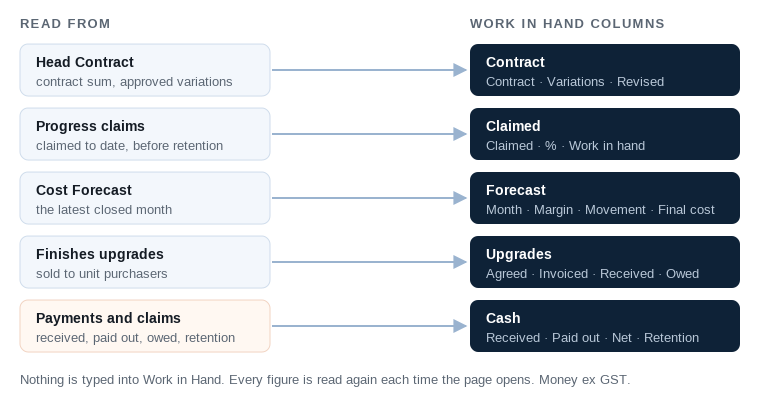
Open Work in Hand from the menu on the left, under Contracts. It covers every project at once, so there is no project to choose. Nothing is typed in here: every figure is read from the module that holds it, each time the page opens. All money is ex GST.
The tiles at the top
Section titled “The tiles at the top”| Tile | What it is |
|---|---|
| Work in hand | What is still to be claimed from clients, with the revised contract total under it |
| Forecast margin | The forecast margin of the projects with a closed month, in dollars and as a percentage. It says how many projects have one |
| At risk | How many projects under way are at risk. Press it to list only those |
| Cash position | Received from clients and from purchasers for upgrades, less paid out to suppliers |
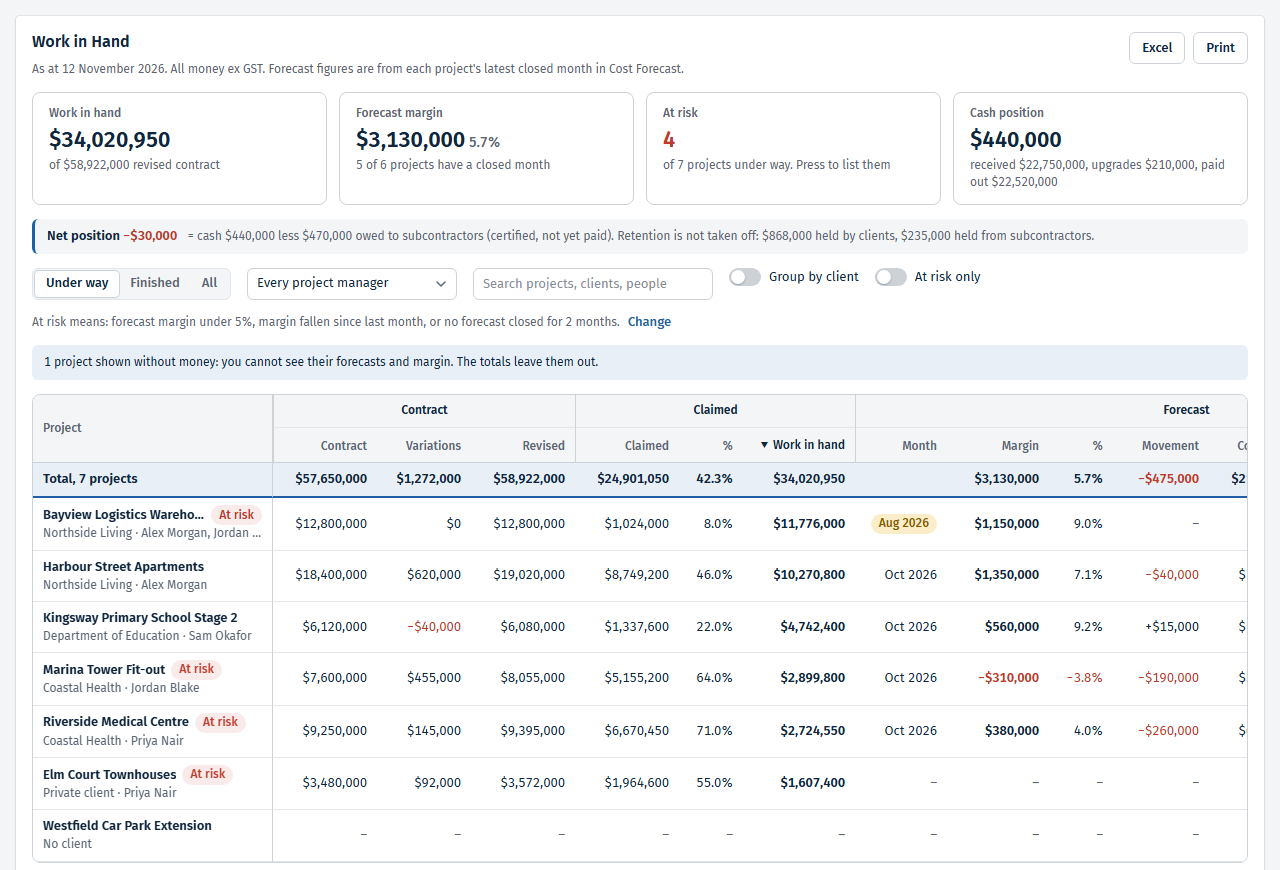
Under the tiles, the Net position line takes off what is owed to subcontractors (certified, not yet paid). Retention is never taken off; the line says how much is held by clients and from subcontractors.
The tiles add up the rows shown, so they follow the filters.
The columns
Section titled “The columns”| Group | Columns |
|---|---|
| Contract | Contract (the head contract sum, or the estimate’s sell price), Variations (approved), Revised |
| Claimed | Claimed to date before retention, % of the revised contract, Work in hand still to claim |
| Forecast | From the latest month closed in Cost Forecast: Month, Margin, %, Movement since the month before, Cost to date, Final cost, Committed (ordered and not yet spent) |
| Upgrades | Finishes upgrades sold to purchasers: Agreed, Invoiced, Received, Owed |
| Cash | Received, Paid out, Cash, Owed to subs, Net, Client retention, Subs retention |
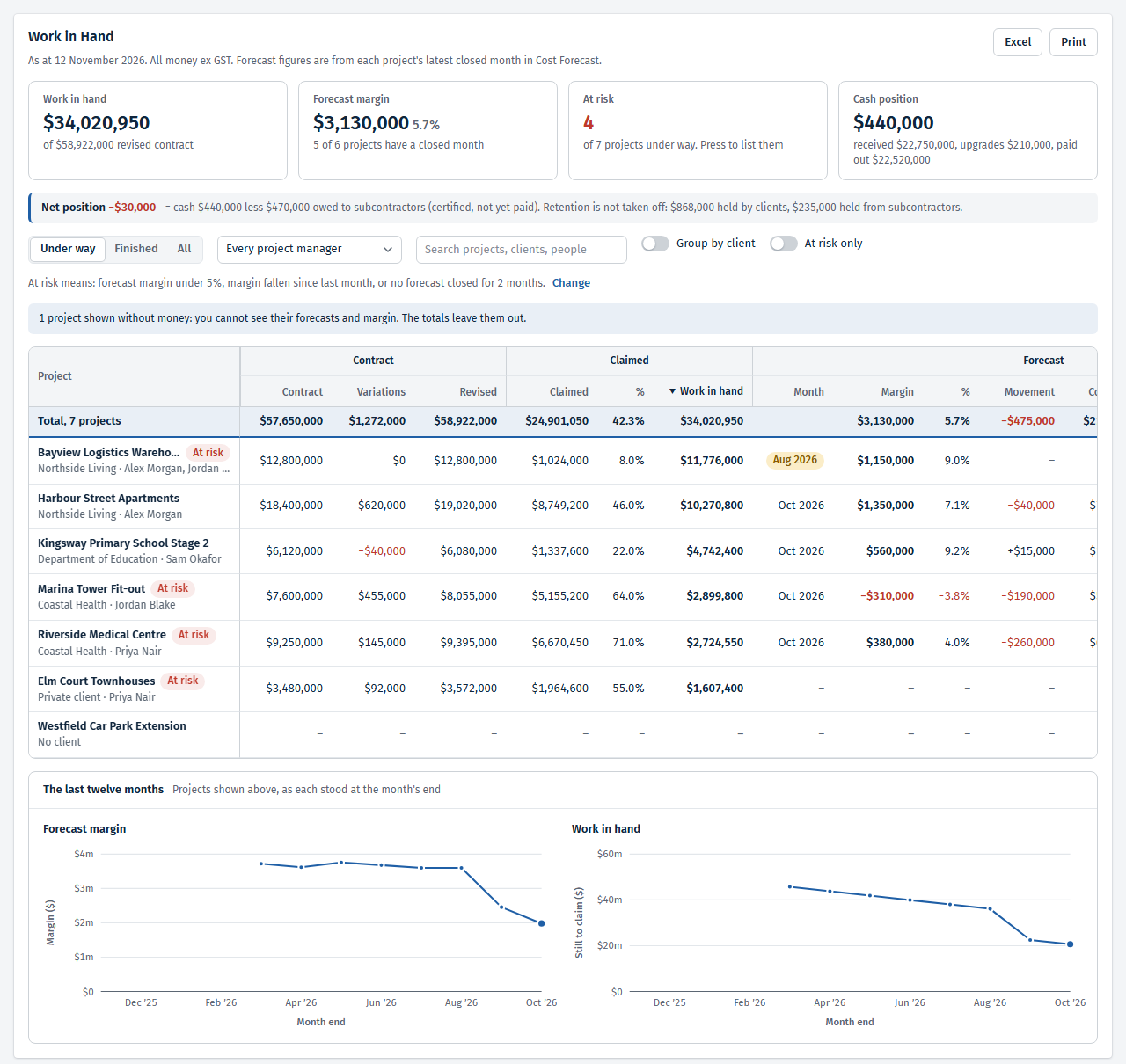
A figure that cannot be worked out is a dash, never a zero. Hold the pointer over it to see why; on a phone the card says why in words. A month older than last month is shown amber.
Click a project’s name to open its Cost Forecast. Click a column heading to sort by it. Under the table, The last twelve months shows how forecast margin and work in hand have moved, as each stood at the month’s end.
Which projects are listed
Section titled “Which projects are listed”- Only contracted projects: under way (the page opens on Under way) and finished. Projects still at sales or tender are not work in hand.
- Only projects you can see. Without See forecasts and margin on a project, its row shows its name, client and manager, and its money is left out of the totals.
- When a project has more than one estimate, the row uses the one the head contract claims against, otherwise the one with the latest closed forecast, and names it under the project.
Who can do what
Section titled “Who can do what”- See company work in hand: open the page.
- See forecasts and margin, on each project: see that project’s money.
- Change the at-risk rule: change what counts as at risk.