

Assess a claim
Assessing is deciding what you agree is done on each line. Where you certify less than was claimed, you say why, and that reason goes on the payment schedule.
Before you start
Section titled “Before you start”- You need the “Assess and certify claims” and “See subcontract values” permissions.
- The claim is being assessed.
-
Open the subcontract, then the claim.
-
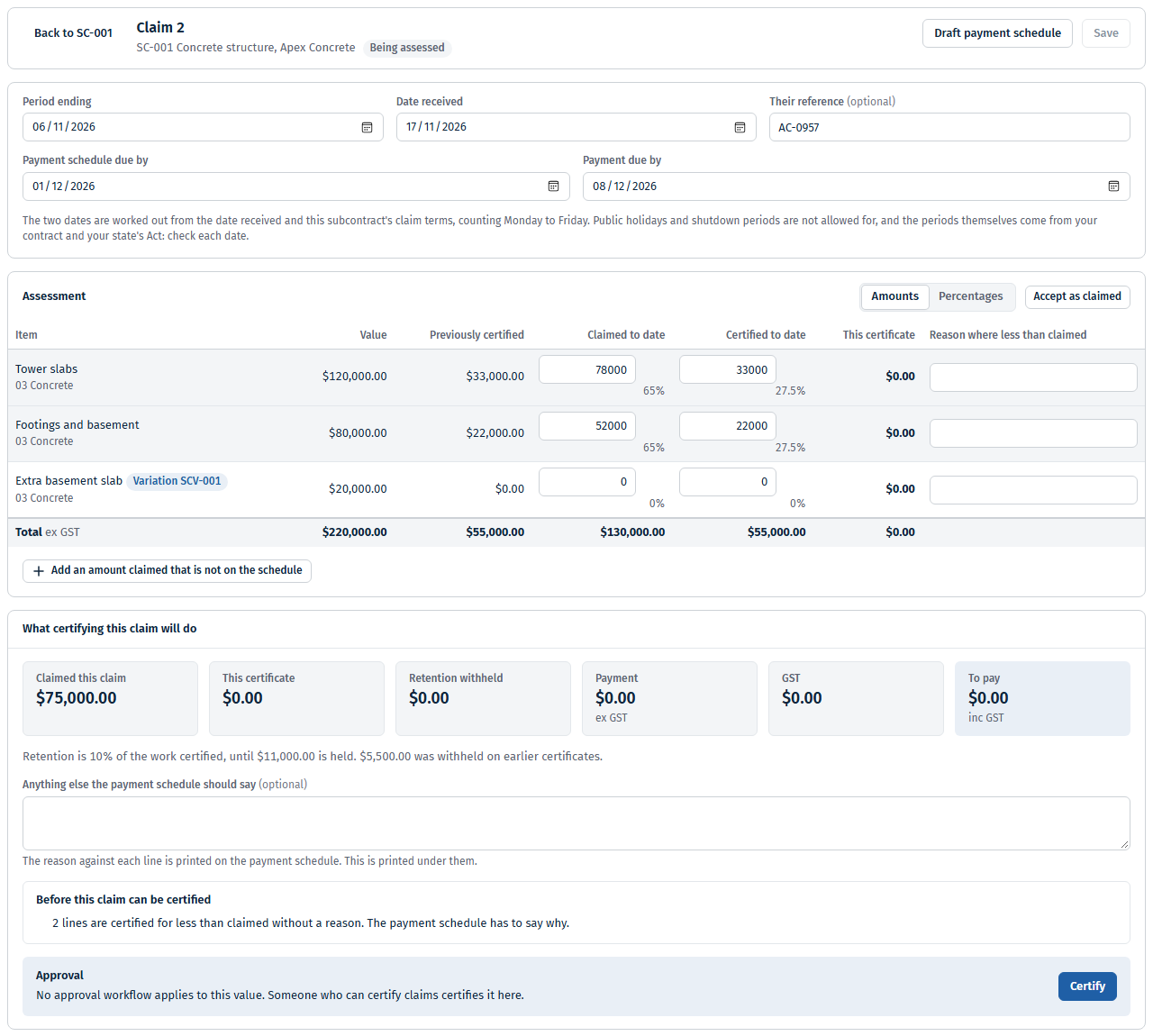
Type Certified to date on each line, as an amount or a percentage. Accept as claimed copies what was claimed to every line, up to each line’s value.
-
On each line certified for less than claimed, type the reason under Reason where less than claimed.
-
Give a reason for each other amount claimed.
-
If the payment schedule should say anything more, type it in Anything else the payment schedule should say.
-
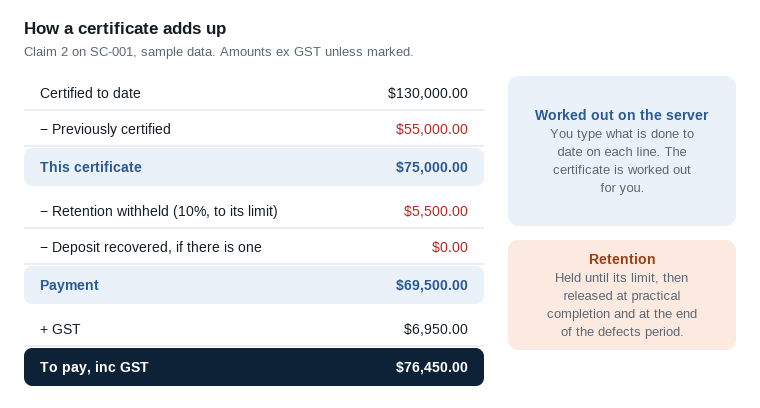
Choose Save. What certifying this claim will do shows this certificate, retention withheld, the payment, GST and the amount to pay, as the server works them out.
Good to know
Section titled “Good to know”- Before this claim can be certified lists what is still missing, such as a short line without a reason.
- Draft payment schedule prints the payment schedule as it stands, before certifying.
- Certified to date cannot be more than a line’s value.
- Less can be certified on a line than before, when an earlier claim was over-certified. Then nothing is payable and a supplier credit note is made in place of an invoice.
- On a grid, All done or All 100% fills a block, a stage or a unit at once, and Certify as claimed does a whole block. One reason can be given to all the short cells.
- Where the subcontractor has hold points not released or failed inspections, a line under the claim’s heading says so. It does not stop the claim.