

Set rules for what can be chosen
Some choices only make sense on some units: a penthouse package only on the top level, a waterfall end only with the stone kitchen, a brass tapware only ten units can have. Set the rule once on the palette, upgrade or option, and it applies whoever chooses, you or the client in their portal.
Before you start
Section titled “Before you start”- You need the “Set up the finishes catalogue” permission.
Limit where it is offered
Section titled “Limit where it is offered”Works on palettes, upgrades and options.
-
Open Finishes Schedule, choose Set up, then Palettes, Upgrades or Items and options, and open the one to limit with its pencil.
-
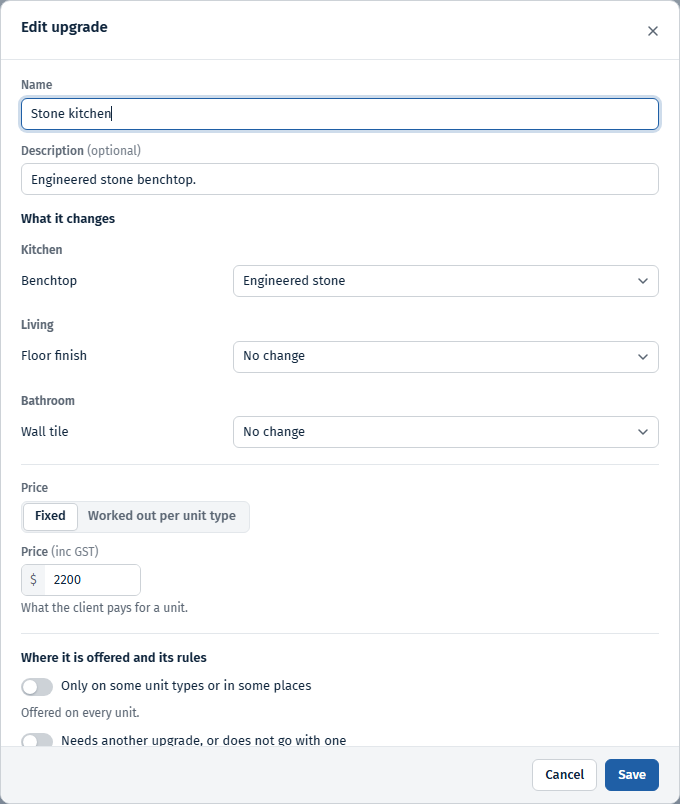
At the bottom of the form, switch on Only on some unit types or in some places.
-
Under Unit types, tick the types that may have it. None ticked means every type.
-
Under Buildings and levels, choose Add a building or level for each place that may have it. A building includes all its levels. None added means everywhere.
-
Read the line underneath: “Offered on 12 units of 48. Units that already have it keep it.”
-
Save the form.
Say which upgrades need or exclude each other
Section titled “Say which upgrades need or exclude each other”Works on upgrades.
- Open the upgrade.
- Switch on Needs another upgrade, or does not go with one.
- Beside each other upgrade, choose No rule, Needs it or Not with it.
- Save the form.
“Not with it” works both ways: neither can be added while the other is on the unit.
Limit how many units can have an option
Section titled “Limit how many units can have an option”Works on options.
-
Open the option.
-
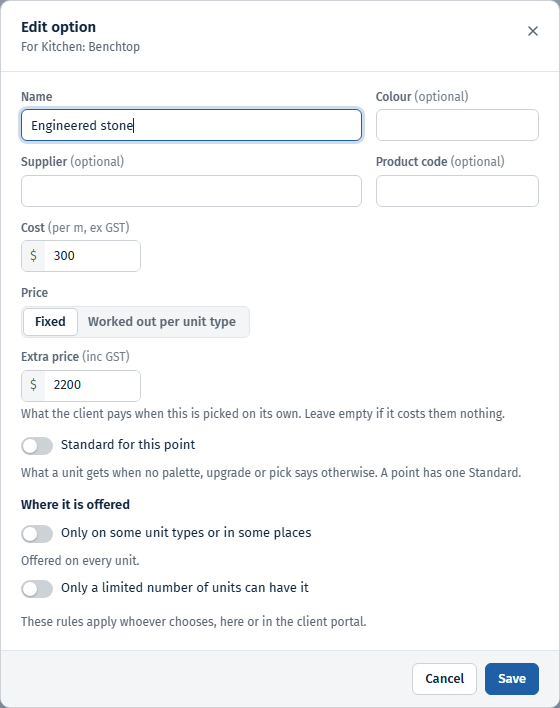
Switch on Only a limited number of units can have it.
-
Type Most units.
-
Save the form.
Good to know
Section titled “Good to know”- Rules are checked on the server for every choice, on the Units screen, in a unit’s window and in the client portal. A refusal says why in words, such as “Waterfall end needs Stone kitchen. Add Stone kitchen first.”
- A rule set later takes nothing away. A unit that already has the palette, upgrade or option keeps it.
- Setting a palette or upgrades on many units leaves out the units where it is not offered, and says how many. The unit’s window and the portal do not show it there at all.
- Taking off an upgrade that another one on the unit needs is refused too.
- Options limited to a number show how many are left, or “none left”. The count is taken at the moment someone chooses, so the last one cannot go twice.
- One palette can be marked Give this palette at closing to units with nothing chosen. See Set closing dates for clients’ choices.
- Options and palettes have no needs or not-with rules; only upgrades do.