

Price a variation request from the portal
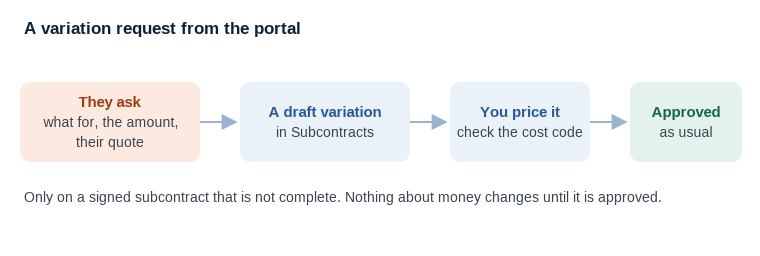
A subcontractor can ask for a variation through the portal: what it is for, the amount and their quote. It arrives as a draft variation on their subcontract. Nothing about money changes until you price it and it is approved.
Before you start
Section titled “Before you start”- Making and approving subcontract variations is done in Subcontracts, with its own permissions.
-
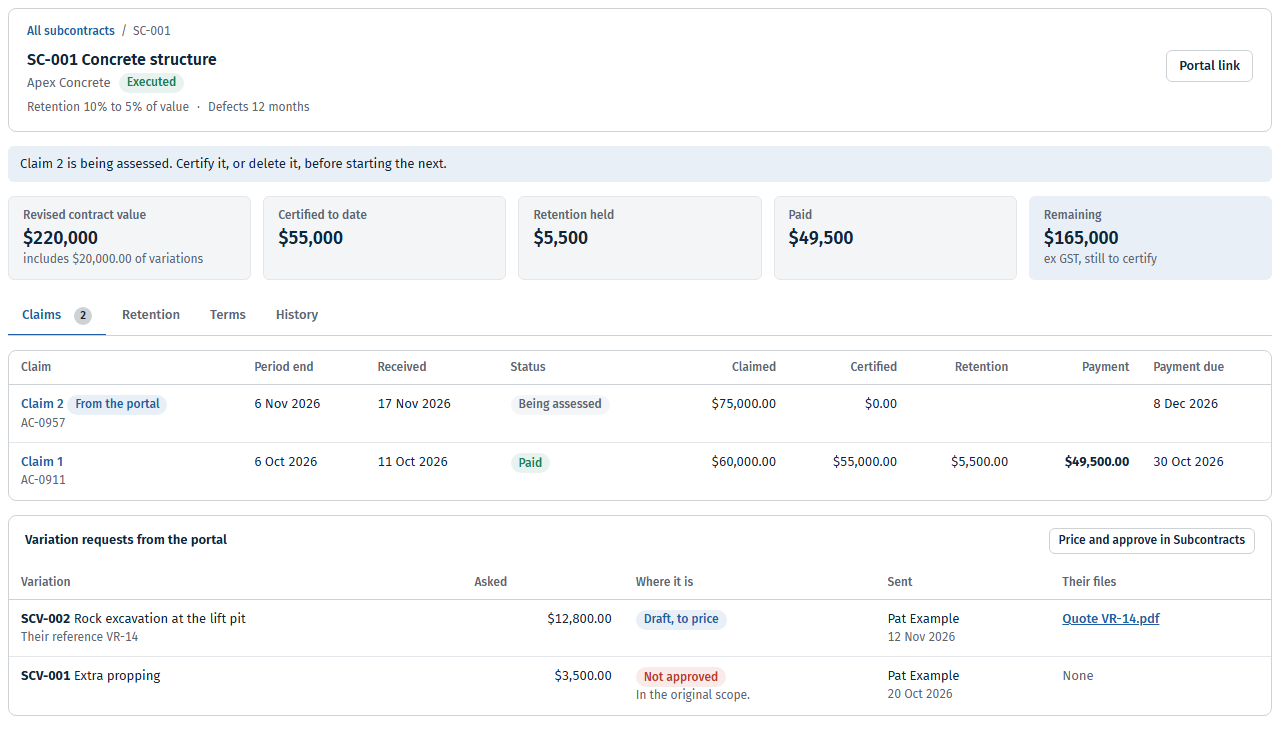
Open Subcontractor Claims and click the subcontract. Under Variation requests from the portal, each request shows what they asked, where it is, who sent it and their quote.
-
Choose Price and approve in Subcontracts. The subcontract’s variations open in Subcontracts.
-
Open the draft. Its description holds their details, who sent it, when and their reference. Check the cost code, which starts as the subcontract’s main one.
-
Change the amount if needed, and send it for approval as any subcontract variation.
What happens next
Section titled “What happens next”The subcontractor sees the request as with the builder, waiting for approval, approved (at your amount, with what they asked beside it), not approved (with your reason) or withdrawn by the builder if you delete the draft.
Good to know
Section titled “Good to know”- Requests can be sent only on an Executed subcontract, and several can be open at once.
- The bell rings for the project’s people who may make or approve subcontract variations.
- From the Dashboard’s Subcontracts card, the Subcontracts tab can show only the subcontracts with requests still waiting.