

Retention Register
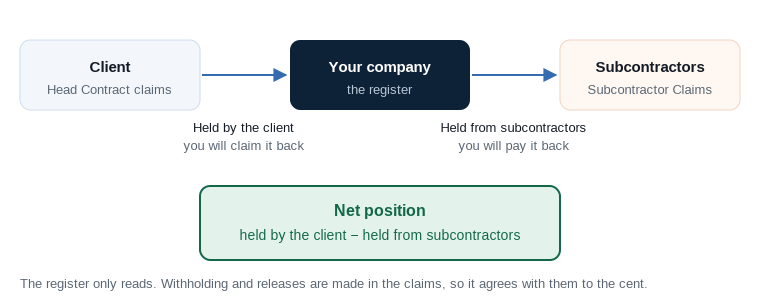
One register of all retention, both ways: what you hold back from subcontractors, which you will have to pay back, and what clients hold back from you, which you will claim back. It shows the difference between the two, and every release that is coming due.
The register only reads. Retention held from subcontractors comes from certified claims in Subcontractor Claims; retention held by the client comes from approved claims on the head contract’s schedule of values. Releases are made there, never here, so the register always agrees with them to the cent.
It is in the menu on the left, under Contracts. Money is ex GST throughout.
The words used
Section titled “The words used”| Word | Meaning |
|---|---|
| Withheld | Everything held back so far, opening balances included |
| Released | Paid back, at practical completion or after the defects period |
| Held | Withheld less released: what is still owed |
| Net position | Held by the client less held from subcontractors |
| Limit | The subcontract’s limit percent of its contract value, in dollars. Limit reached means nothing more will be withheld |
| Kept by you | Retention on a terminated subcontract that you decided to keep. It is no longer held, and was never paid |
The screen
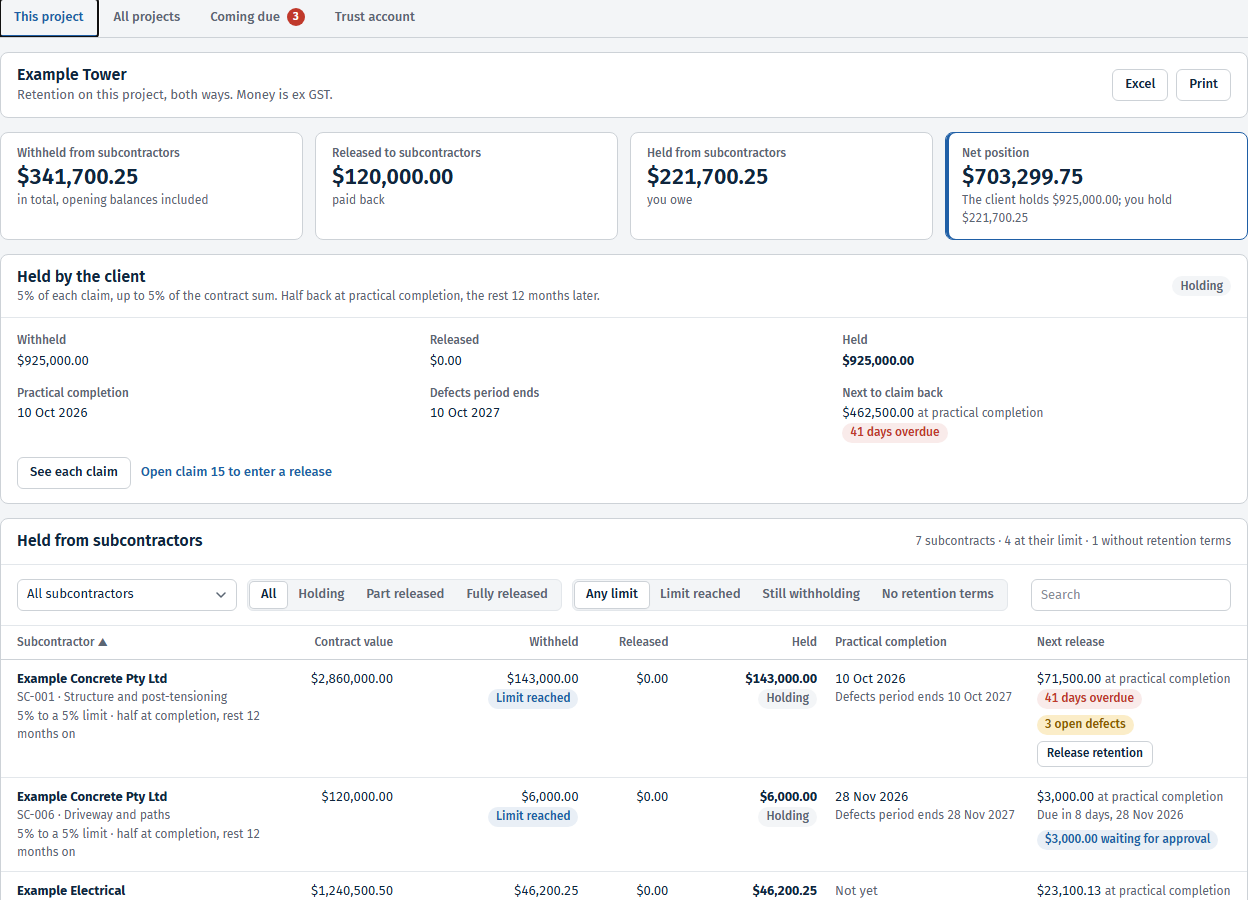
Section titled “The screen”- This project: the project chosen in the left-hand picker. Across the top, withheld from subcontractors, released, held, and the net position. Then Held by the client, from the head contract, and Held from subcontractors, one row for each subcontract.
- All projects: the same totals for every project you can see, archived ones included. By subcontractor lists every subcontract; By project lists each project with held by the client, held from subcontractors, net and the next release.
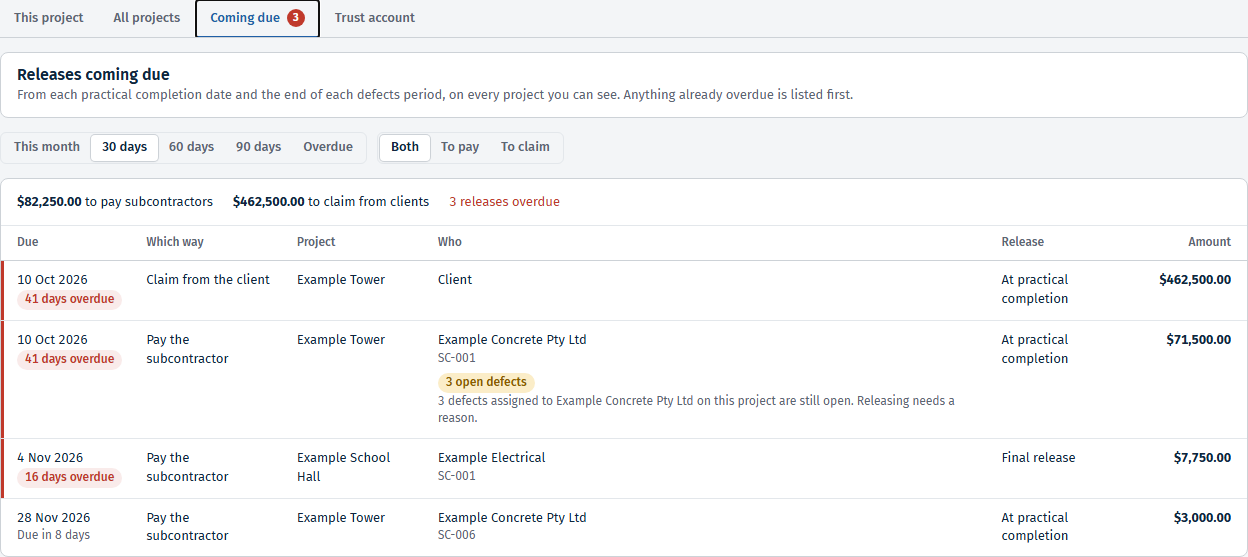
- Coming due: every release falling due, to pay or to claim back. See See what is coming due.
- Trust account: shown to people allowed to see or set up the trust account record.
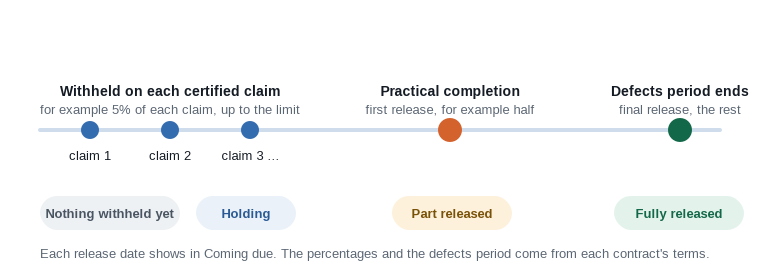
Each subcontract shows a status: Nothing withheld yet, Holding, Part released or Fully released. Terminated subcontracts are listed apart, under Terminated subcontracts, with no release dates.
Who can do what
Section titled “Who can do what”| Permission | Allows |
|---|---|
| See the retention register | Open the register |
| See subcontract values | Needed as well, on each project, to see any figure there |
| Change the retention register’s settings | Set the days allowed after a release falls due |
| See the trust account record | The Trust account tab |
| Record trust account entries | Record and strike out deposits and withdrawals |
| Set up trust accounts | Switch the record on, set its days, add and change accounts |
The last four are opt-in: nobody but an administrator has them until they are ticked under Users. Releasing retention needs “Release retention” in Subcontractor Claims.
Articles
Section titled “Articles”- See what is coming due
- See where a figure came from
- Set the days allowed after a release falls due
- Print the retention report
- Set up the trust account record
- Record a trust account deposit or withdrawal
- Check the trust account agrees with the ledger
Where it is used
Section titled “Where it is used”Subcontractor Claims withholds and releases subcontractor retention. The Head Contract claims record what the client holds. The Dashboard counts releases overdue and due within 30 days, and opens the register on them.