

Enter the cost to complete
The cost to complete is your judgement of what is still to be spent on each cost code. It is the one figure in the forecast you decide; everything else comes from the budget, the orders and the invoices. Go through the codes once a month before you close it.
Before you start
Section titled “Before you start”- Who can do this: Edit cost to complete. Administrators always can.
- The month is started and open. See Start a month.
-
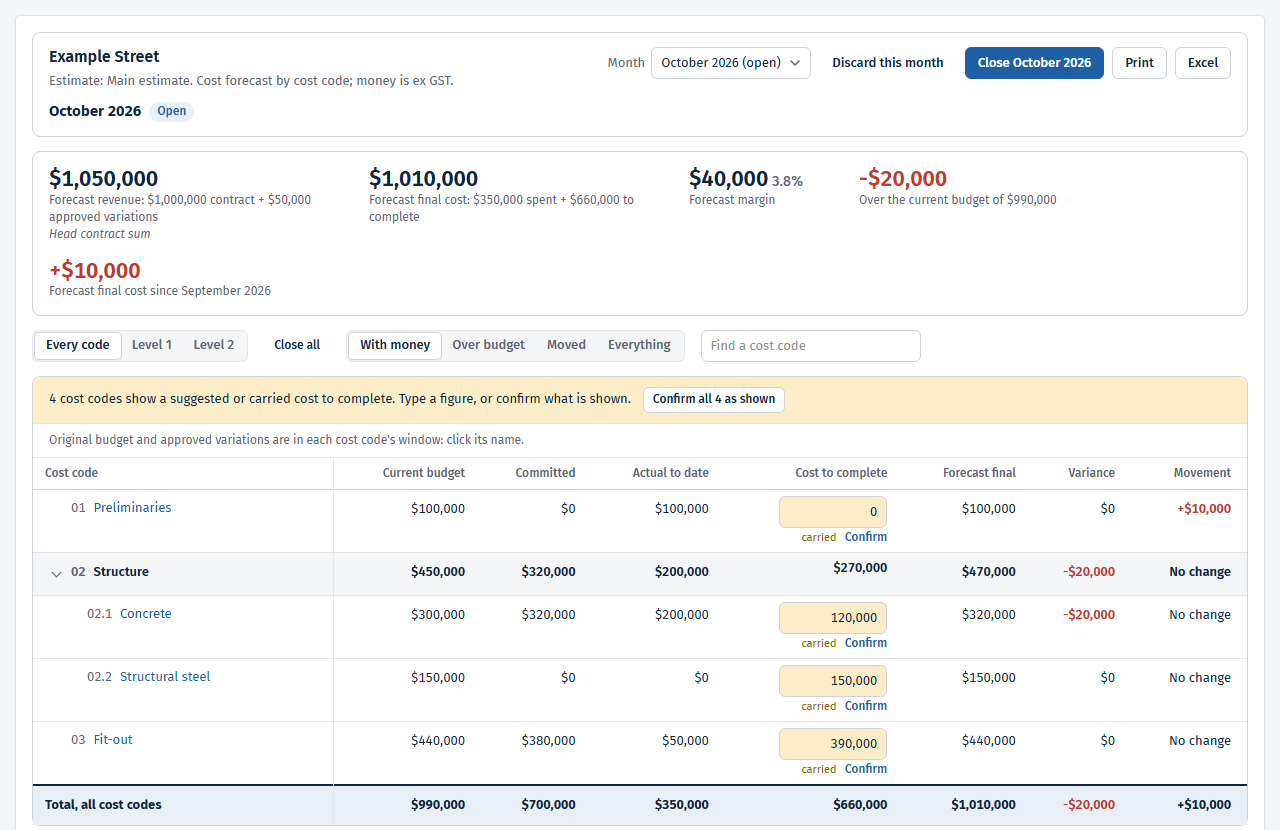
Open Cost Forecast on the project and estimate. A yellow line above the table says how many cost codes still show a suggested or carried figure.
-
To see only what needs attention, choose Over budget or Moved under Show, or type in Find a cost code.
-
In a code’s Cost to complete box, type the amount. Leaving the box saves it, and the forecast final, variance and the figures at the top change straight away.
-
Press Enter or the down arrow to go to the next code’s box, so a whole column can be keyed in.
-
Where the figure shown is right, choose Confirm under the box instead of typing it.
-
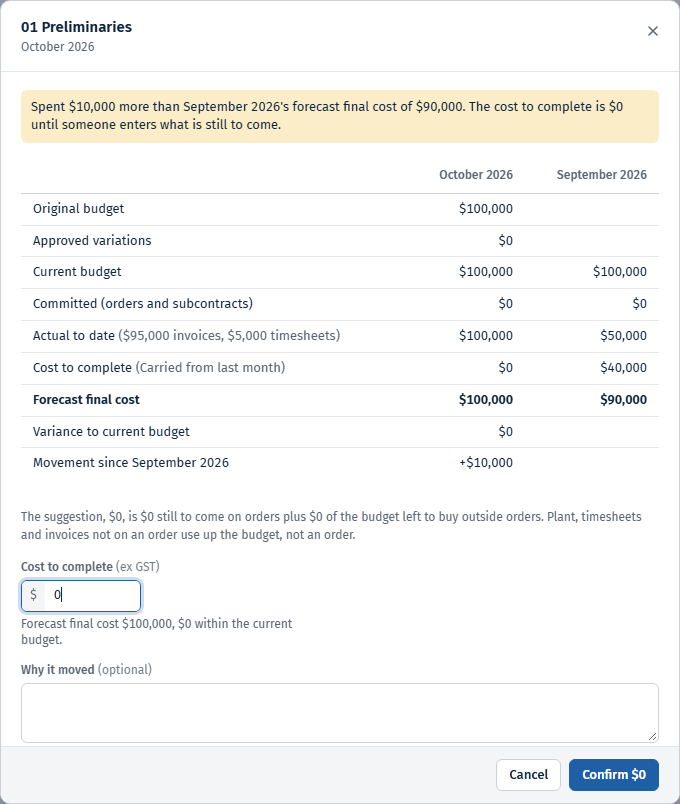
To say why a code moved, click its name. The cost code’s window opens with this month beside last month. Type in Why it moved and choose Save.
-
When every figure shown is right, choose Confirm all and the number shown, in the yellow line.
What happens next
Section titled “What happens next”A typed or confirmed figure loses its mark, and your name and the date are kept with it. The movement column shows how each code’s forecast final has moved since the last closed month.
Good to know
Section titled “Good to know”- When more has been spent than last month’s forecast final cost, a carried cost to complete stops at $0 and the window says how much was overspent. Enter what is still to come.
- The cost code’s window shows how much of Committed is on orders still waiting for approval, and any hired plant not yet invoiced, which is not in actual.
- Use the suggestion in the cost code’s window puts the suggested figure back.
- A cost to complete cannot be less than zero, and the largest accepted is $9,999,999,999.
- The link at the foot of the cost code’s window opens Budget with the orders, invoices and variations behind the figures. Budget does not count plant, so its spent figure is lower by the owned plant.
- The month has its own note under the table. Choose Save note after typing it.