

Close a month
Closing the month keeps every figure as it stands, so the month’s cost report can be printed and compared later. Work in Hand and Portfolio Reports read their forecast and margin from the closed months, so a project whose month is not closed shows there as not kept up.
Before you start
Section titled “Before you start”- Who can do this: Edit cost to complete. The Project manager role carries it. Administrators always can.
- The month is open, and its costs to complete have been checked. See Enter the cost to complete.
-
Open Cost Forecast on the project and estimate. The month shows Open.
-
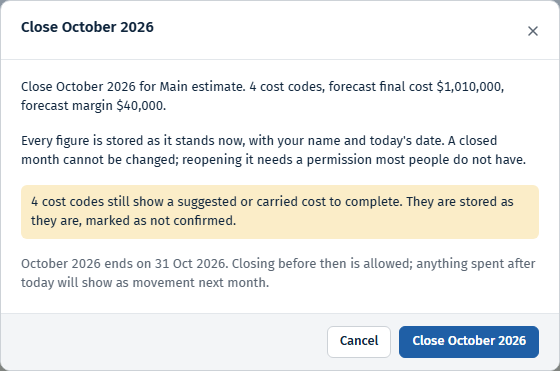
Choose Close and the month’s name, at the top right. A window opens.
-
Read what it says: the estimate, how many cost codes, the forecast final cost and the forecast margin. It also says how many codes still show a suggested or carried figure, and whether the month has not ended yet.
-
Choose Close and the month’s name. The month shows Closed, with your name and today’s date.
What happens next
Section titled “What happens next”Every cost code with money is stored with its figures, and the month’s totals, revenue and margin with it. The next month you start keeps each code’s forecast final cost from this one, and its movement column compares with this month.
Good to know
Section titled “Good to know”- A closed month cannot be changed: no cost to complete, no note, no confirmation.
- Codes still showing a suggested or carried figure are stored as they are, marked as not confirmed.
- You can close before the month ends. Anything spent after that day shows as movement next month.
- Print prints the month’s cost report on A4 landscape. Excel saves the table as a file Excel opens.
- Choose a closed month from the Month list to read it again.