

Print a report
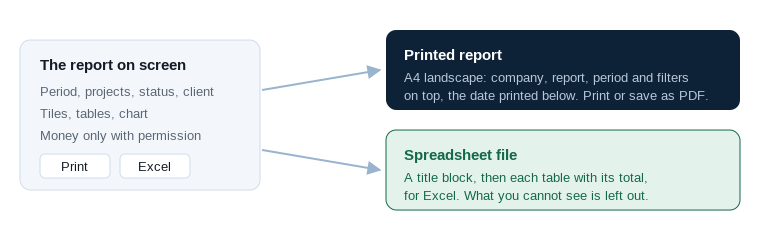
A printed report is laid out to hand to a board, a bank or an auditor: the company’s name, the report, the period and the filters at the top, and a footer with the date it was printed. A money report also says “All money ex GST”.
Before you start
Section titled “Before you start”- Who can do this: See portfolio reports. Administrators always can.
- The report shows the period and projects you want. See Run a report.
-
Choose Print, at the top right of the report. The browser’s print window opens, set out for A4 landscape.
-
Print it, or save it as a PDF from the browser’s print window.
Good to know
Section titled “Good to know”- Excel saves the same report as a file Excel opens: a title block, then each table with its total.
- What you cannot see on screen is not printed or saved either.