

See where a figure came from
Every figure in the register is added up from claims. Open a row to see each amount withheld and released, with the claim it came from.
Before you start
Section titled “Before you start”- You need the “See the retention register” and “See subcontract values” permissions.
-
Open Retention Register, then This project or All projects.
-
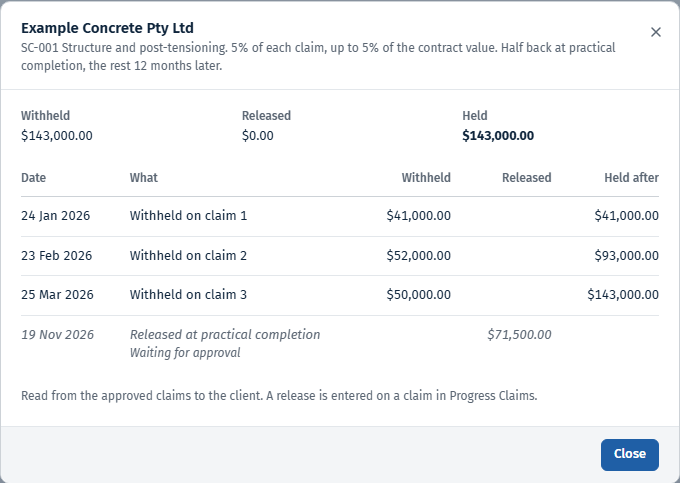
Click a subcontract’s row. Its ledger opens beside the list: each amount withheld on a certified claim, each release, and the balance held after each.
-
For the client’s side, choose See each claim under Held by the client. It lists each approved head contract claim with what was withheld and released on it.
-
Choose Close to go back to the list.
Good to know
Section titled “Good to know”- An opening balance, entered in Subcontractor Claims for a subcontract already under way, comes first in the ledger with its as-at date.
- A release made while the subcontractor had open defects says how many and the reason given.
- On a terminated subcontract, retention you kept has its own column with its reason. It is not counted as released to the subcontractor.
- On All projects, By project, clicking a project shows its register in place without changing the project chosen on the left.
- A project still claiming from the client by payment stages, not against a schedule of values, has no client retention recorded, and says so.