

Daywork Sheets
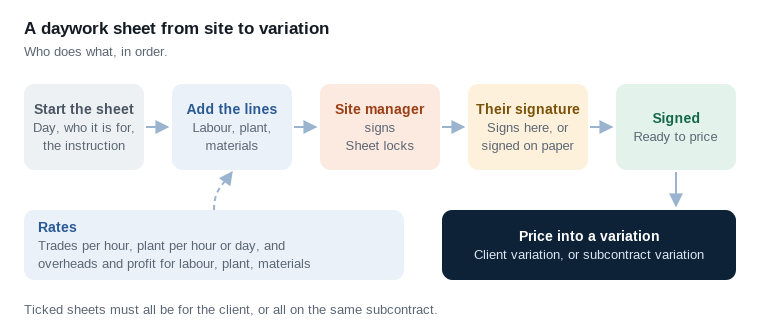
When work is instructed and has no agreed price, a daywork sheet records what was actually used that day: the labour (who, what trade, how many hours), the plant (what machine, how many hours or days) and the materials (what, how much, what it cost). Both sides sign it, it is priced at the agreed daywork rates with a percentage for overheads and profit, and it is then claimed as a variation.
A sheet runs one of two ways:
- For the client: extra work the client or their superintendent instructed. Signed sheets are priced into a client variation.
- By a subcontractor: extra work a subcontractor did on your instruction. Signed sheets are priced into a variation on their subcontract.
Open Daywork Sheets from the menu on the left, under Site resources, and choose the project on the left. The page opens on the register. It is made to be filled in on a phone on site.
The register
Section titled “The register”Across the top: Not yet claimed from the client and Not yet on subcontract variations, each with the number of sheets, the labour hours, the plant hours or days, and the value ex GST. Below: every sheet of the project with its number, date, who it is for, the work, where it stands and its total.
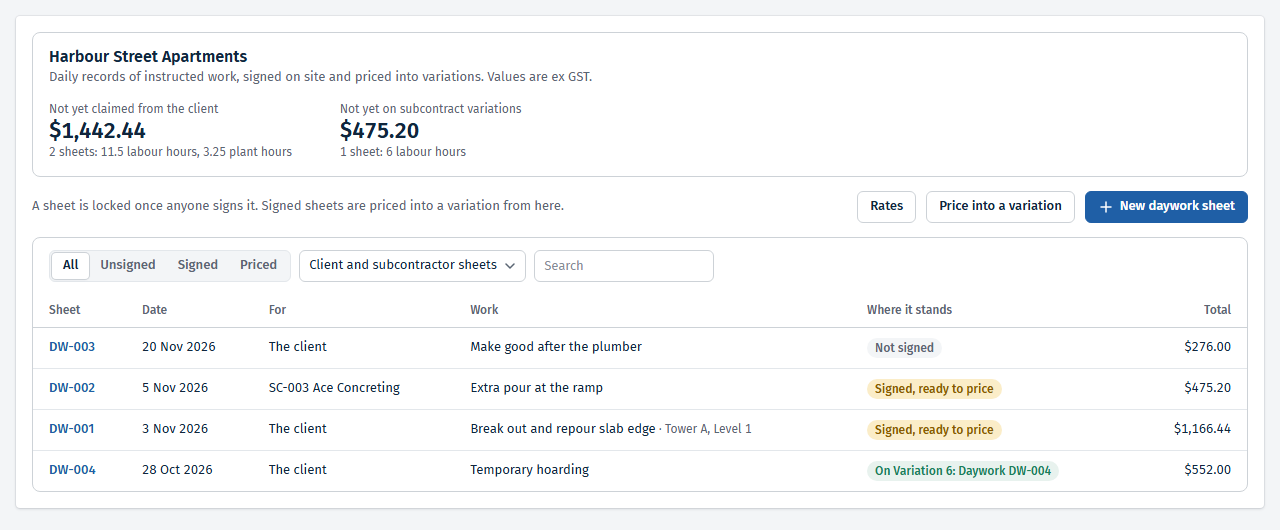
Narrow the list with All, Unsigned, Signed (signed and not yet on a variation) and Priced, by who it is for, or with the search box. Click a sheet to open it; Back to all sheets returns to the register.
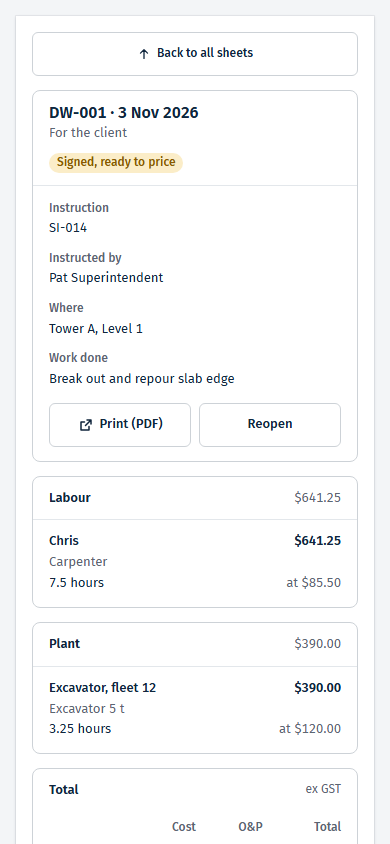
Where a sheet stands
Section titled “Where a sheet stands”| On screen | Meaning |
|---|---|
| Not signed | Nobody has signed it. It can be changed |
| Signed by the site manager, or Signed by the other party | One side has signed. It is locked |
| Signed, ready to price | Both have signed and no approval is needed |
| Signed, needs approval | Both have signed and your Daywork sheets workflow has a step for its value |
| Waiting for approval | Sent for approval and waiting in My Approvals |
| Approved, ready to price | Approved |
| Sent back from approval, or Approval rejected | An approver sent it back or rejected it |
| On (the variation’s name) | Priced into that variation |
The totals
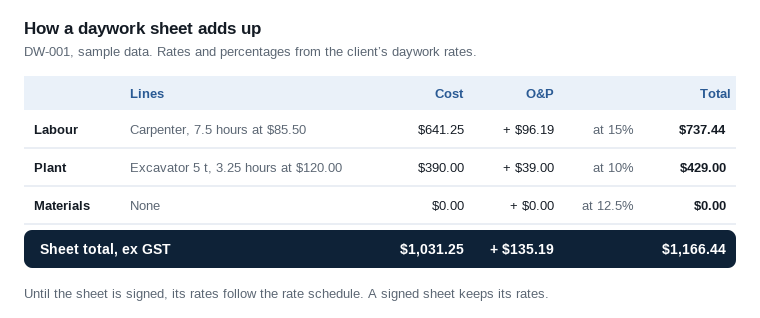
Section titled “The totals”For each of labour, plant and materials: the cost (the lines added up), then overheads and profit at that kind’s percentage, then the total. The sheet total is the three totals added together, ex GST. GST is added by the variation, not on the sheet. Every figure is worked out by the server.
Who can do what
Section titled “Who can do what”| Permission on the Users page | Lets you |
|---|---|
| See daywork sheets | Open the page, read every sheet and print it |
| Record daywork sheets | Start, change and delete unsigned sheets, add lines and files, sign, record the other side’s signature, clear signatures, send for approval |
| Set daywork rates | Change the rate schedules |
| Price daywork into variations | Price signed sheets into a variation. Also needs the permission the variation itself needs |
| Reopen a signed daywork sheet | Open a signed sheet again, with a reason. Nobody has it until an administrator ticks it for them |