

Deal with a claim from the portal
A claim the subcontractor sends through the portal arrives already entered, received on the day it was sent. Assess and certify it like any other claim, or return it to them if it is wrong.
Before you start
Section titled “Before you start”- To assess it you need “Assess and certify claims”; to return it, “Enter subcontractor claims”.
-
Open Subcontractor Claims and the Claims tab. Choose From the portal to see only those claims.
-
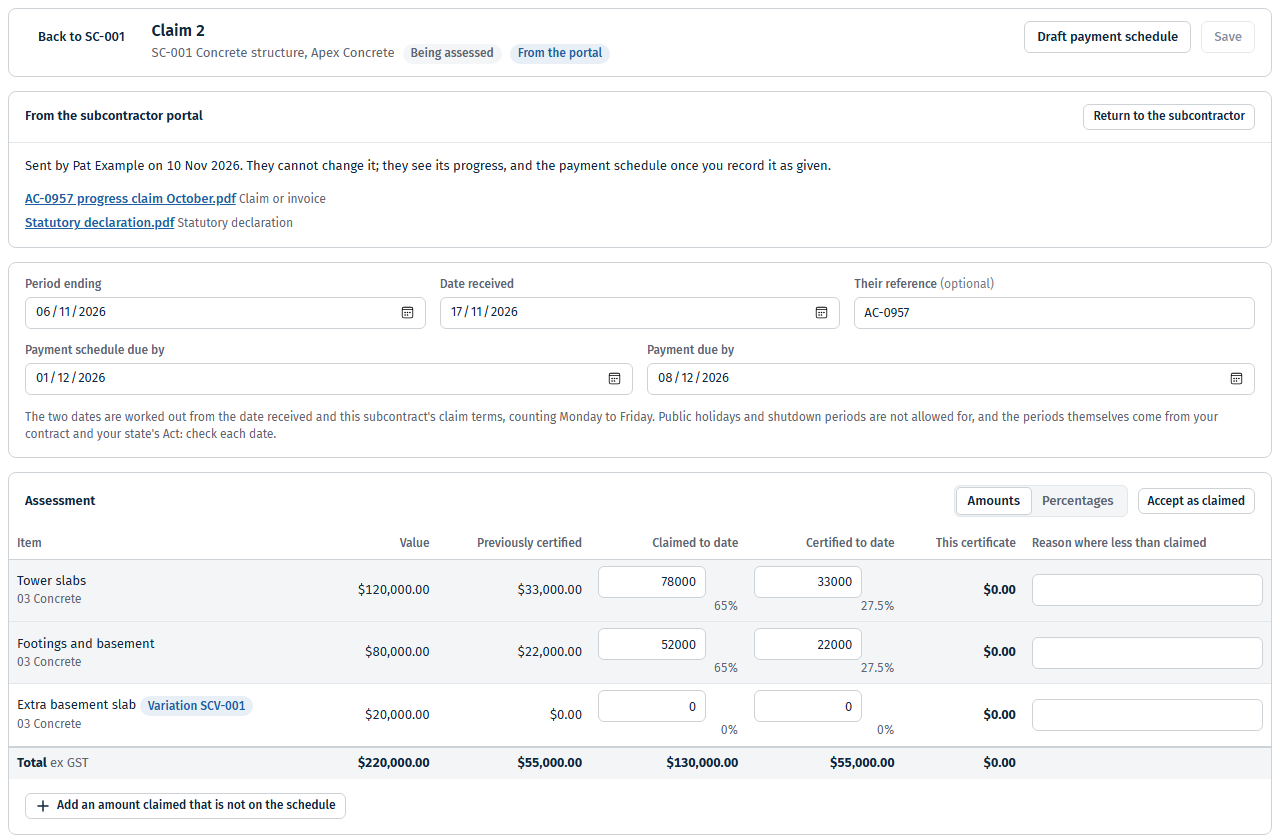
Click the claim. From the subcontractor portal says who sent it and when, and lists their files to download.
-
Check what they claimed against their files, then assess and certify it as usual.
-
If it is wrong, choose Return to the subcontractor instead. Type Why, saying what to change, and choose Return it.
What happens next
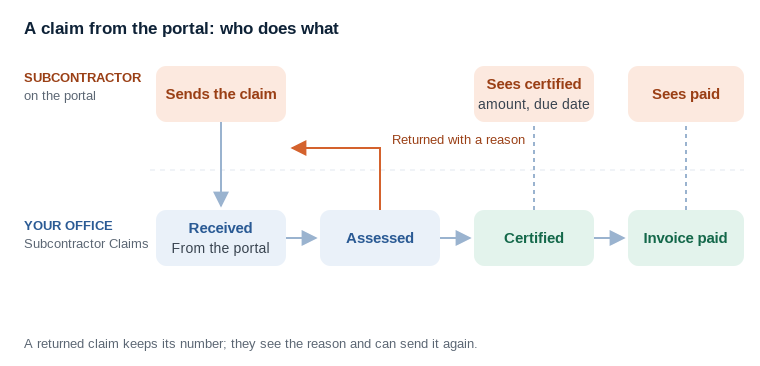
Section titled “What happens next”- Assessed: the subcontractor sees it as being assessed. Once certified they see what was certified, the reasons for anything cut, and the payment due date. They can download the payment schedule once you record it as given, and see it paid once its invoice is marked paid.
- Returned: the claim is taken off the subcontract and its number goes to the next claim. They see it as returned with your reason, and can send it again.
Good to know
Section titled “Good to know”- They cannot change a claim once sent.
- A claim can be returned only while it is being assessed and before it is sent for approval.
- Each line of their claim starts at what was certified before, so a line they leave alone claims nothing.