

Email an outside reviewer a link
An architect or engineer outside your company can answer a submittal without an account. Give them an email address and, when the submittal reaches them, they are emailed a link that shows that revision’s files and takes their answer. Their answer lands on the submittal by itself.
Before you start
Section titled “Before you start”- Who can do this: “Add and edit submittals” on the Users page, or a project role that carries it. Administrators always can.
- The reviewer is an Outside party. People in your company are told on the bell instead.
-
Type the reviewer’s address in Email (optional) beside their name, when you add the submittal, with Edit details, or in the Send for review window. The Send for review window says before you send whether they will be emailed.
-
Choose Send for review. When it is their turn, they are emailed the link straight away.
-
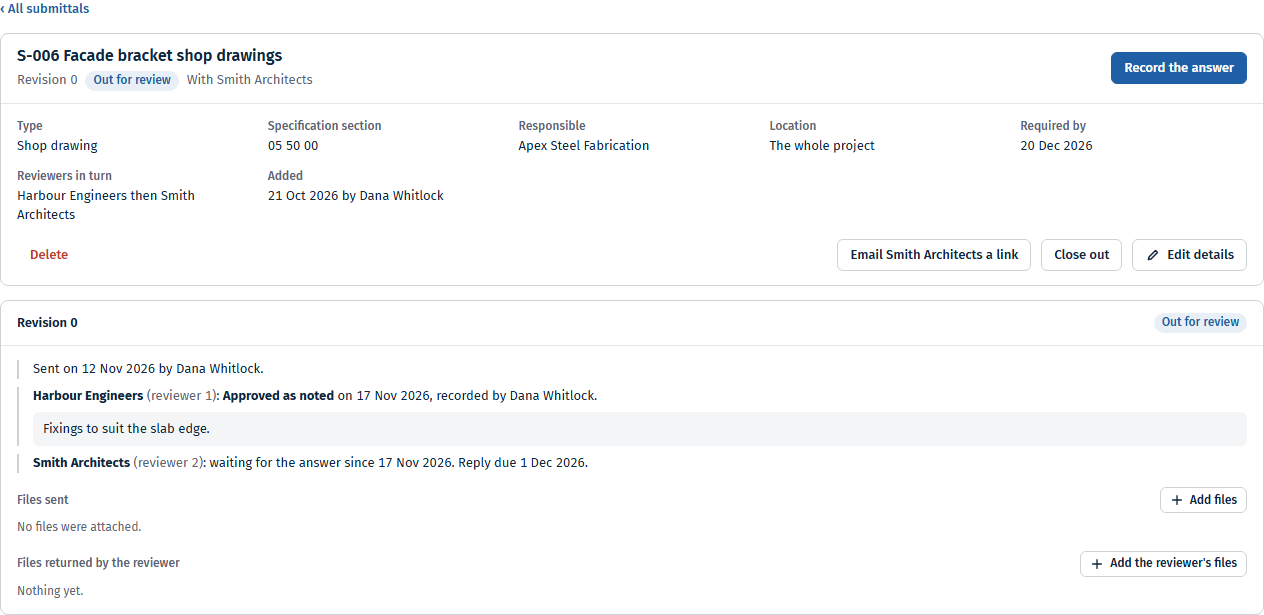
Check their line on the revision. It says, for example, “Link emailed to reviewer@example.com on 20 Nov 2026; not opened yet; works until 20 Dec 2026.”, and later how many times it was opened. If the email did not go, it says why.
-
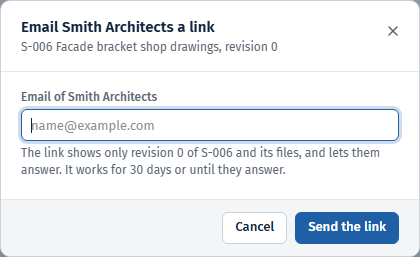
To send it again, or to a corrected address, choose Email the link again (or Email Smith Architects a link when no address was given). Check Email of the reviewer and choose Send the link.
What the reviewer sees
Section titled “What the reviewer sees”- The link opens a page with your company’s name, the project, the submittal’s number, title, type, specification section, revision and reply-due date, and only that revision’s files as sent, to open or download.
- They choose one of the four answers, type their Comments (needed for every answer except Approved), attach files if they want, and choose Send my answer.
- Nothing else of your company’s is shown: not other revisions, not other reviewers’ answers, not files returned earlier.
What happens next
Section titled “What happens next”- Their answer is recorded as if it had been typed at the screen: it passes to the next reviewer, or settles the revision, and the person who sent it gets the bell that it came back.
- Their line says “answered through the emailed link”, and any files they attached are under Files returned by the reviewer.
Good to know
Section titled “Good to know”- A link stops working when that reviewer’s turn ends (they answer, or it is taken back, closed or deleted), 30 days after it was emailed, or when a newer link is emailed. The reviewer is then told only that the review is finished, the link has expired, or a newer one was sent.
- Each send makes a new link and the earlier one stops.
- The email comes from the company’s orders mailbox, in your company’s name, and replies go to the person who sent the submittal.
- The address goes with the reviewer to the next revision, which emails them a new link when it is sent.