

Subcontractor Portal
The subcontractor portal lets a subcontractor deal with you from their phone or computer, with no password: send progress claims, follow each one to payment, keep their insurances current and ask for variations. What they send lands in your own screens, where you deal with it as usual.
Each subcontractor gets one link from you. It is made on a signed subcontract in Subcontractor Claims, and shows them only their own subcontracts with you, on every project.
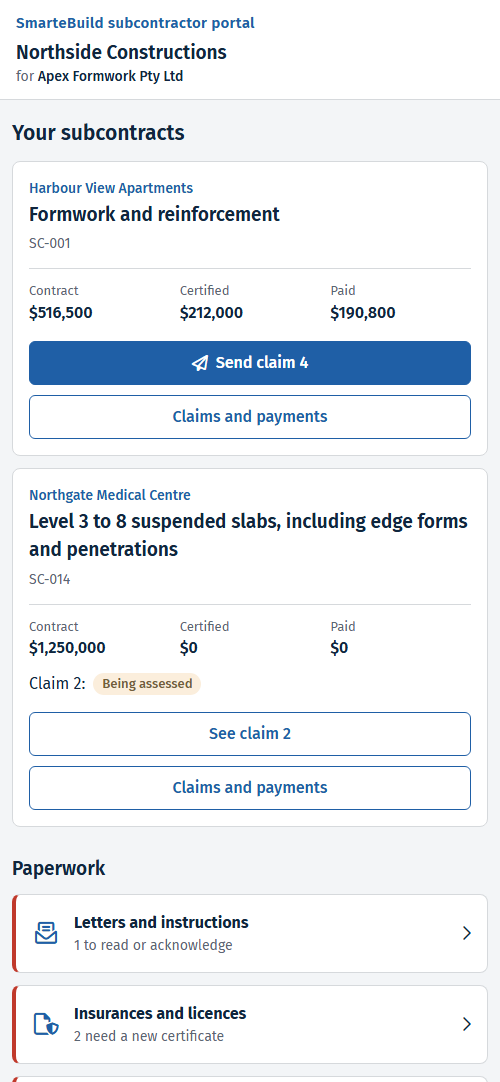
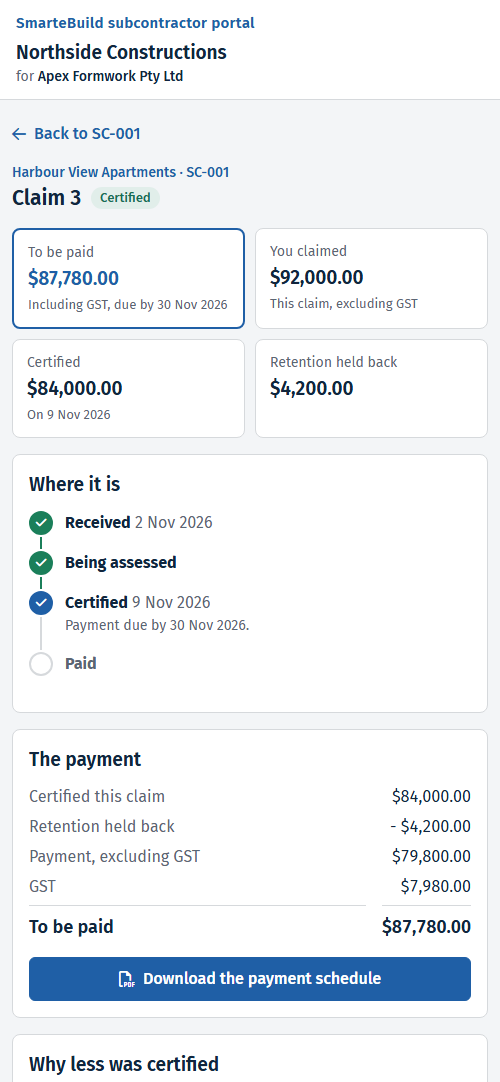
What the subcontractor can do
Section titled “What the subcontractor can do”| In the portal | What you see |
|---|---|
| See each subcontract: contract value with variations, certified to date, retention held, paid, and where its latest claim stands | The same figures, from the same claims |
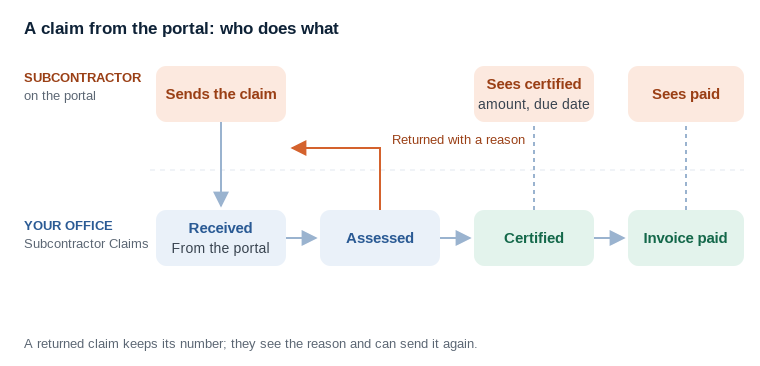
| Send a progress claim: claimed to date on each line, anything extra, their reference, the period, and files marked as the claim, a statutory declaration or a supporting statement | The claim in Subcontractor Claims, received today, being assessed and marked From the portal, with their files |
| Follow the claim: received, being assessed, certified with the reasons for anything cut, payment due, paid, or returned to them with your reason | Nothing more to do: it follows your assessment |
| Download the payment schedule | Only once you have recorded it as given |
| Upload a new insurance or licence with its expiry date and cover | It waits in Compliance under Sent by suppliers, to be checked and changes nothing until accepted |
| Answer your prequalification form and send it for review | The form in Compliance |
| Ask for a variation, with the amount and their quote | A draft variation on the subcontract in Subcontracts, and a list under Variation requests from the portal |
| Read, acknowledge and reply to letters and instructions you have shown on the portal | Their acknowledgement and reply on the item in Correspondence |
Where your company uses the SWMS register, they can also send their Safe Work Method Statements there.
How you hear about it
Section titled “How you hear about it”The bell in SmarteBuild rings for a claim received, a certificate to check, a prequalification form sent and a variation request. The portal sends no email or text message of its own.
Who can do what
Section titled “Who can do what”| Permission | Allows |
|---|---|
| Enter subcontractor claims, with See subcontract values | Make, copy, email, replace or switch off a portal link; return a portal claim |
| See subcontract values | Download the files sent with a claim |
| Manage prequalification and compliance documents | Accept or reject a certificate a supplier sent |
Articles
Section titled “Articles”- Give a subcontractor their portal link
- Deal with a claim from the portal
- Price a variation request from the portal
Where it is used
Section titled “Where it is used”Subcontractor Claims holds the link and the claims. Compliance checks the certificates and prequalification. Subcontracts prices and approves the variation requests.