

Set up your induction types
Induction types are the inductions your company gives in person, in its own words: what each covers and how long it lasts. They belong to the company, so every project uses the same list. Nothing is filled in for you.
Before you start
Section titled “Before you start”- Who can do this: anyone with “Set up induction types”. Nobody has it until an administrator ticks it; administrators always can.
-
Open Safety, then the Inductions tab.
-
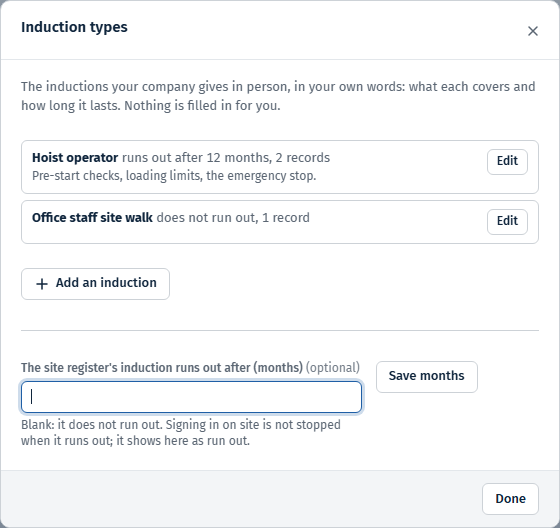
Press Induction types. The window lists your types.
-
Press Add an induction.
-
Name: for example Hoist induction.
-
Runs out after (months): for example 12. Leave it blank if it does not run out.
-
What it covers: in your company’s own words.
-
Press Add induction. It is listed, and offered when an induction is recorded.
-
To say how long the site register’s own induction lasts, type the months under The site register’s induction runs out after (months) and press Save months.
-
Press Done.
Good to know
Section titled “Good to know”- Signing in on site is not stopped when the site induction runs out. It shows on the Inductions tab as run out.
- Months run from 1 to 240, or blank for never.
- A type that has been used cannot be deleted. Rename it instead with Edit.
- An induction already recorded keeps the day it runs out when a type’s months change.