

Set the claim terms
The claim terms say how long you have to give a payment schedule and to pay, counted from the day a claim is received. With them set, both dates are worked out on every claim. Take the periods from the subcontract and your state’s security of payment Act: nothing is filled in for you.
Before you start
Section titled “Before you start”- You need the “Issue payment schedules” permission.
-
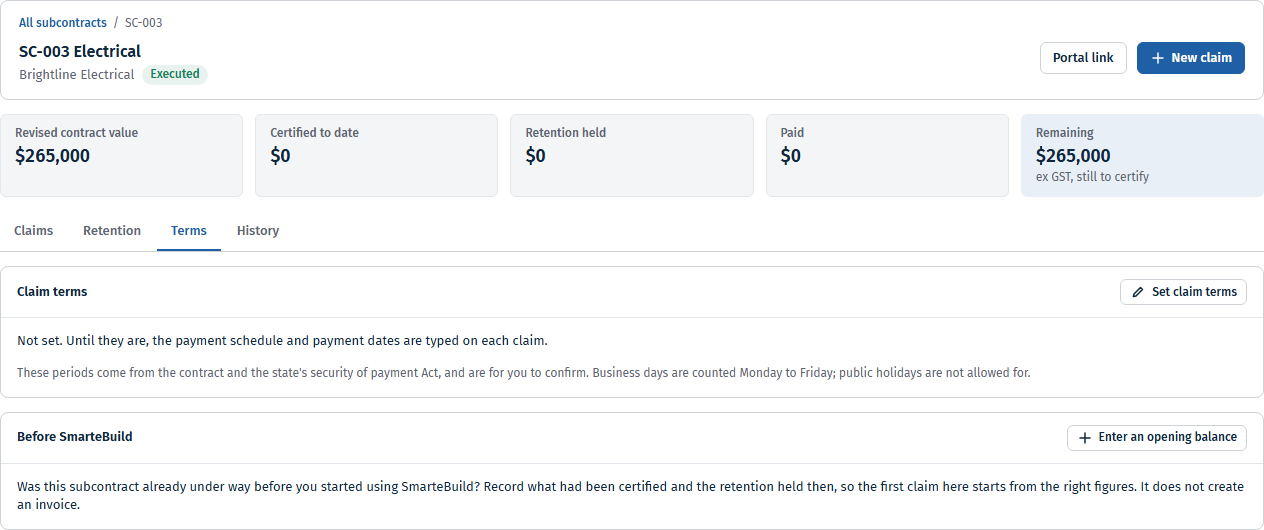
Open Subcontractor Claims, click the subcontract, then the Terms tab.
-
Under Claim terms, choose Set claim terms, or Change when they are already set.
-
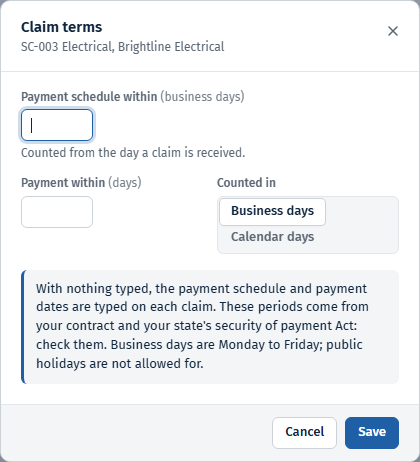
In Payment schedule within, type the number of business days.
-
In Payment within, type the number of days, and choose under Counted in whether they are Business days or Calendar days.
-
Choose Save. The terms show in words on the Terms tab.
Good to know
Section titled “Good to know”- Business days are counted Monday to Friday. Public holidays and shutdown periods are not allowed for, so check each date on the claim; both can be corrected there.
- Without claim terms, both dates are typed on each claim. A claim cannot be certified without a payment due date.
- The dates are worked out when a claim is saved, from its date received.