

Take back a certification
If a claim was certified wrongly, take the certification back, correct the assessment and certify it again.
Before you start
Section titled “Before you start”- You need the “Assess and certify claims” permission.
- It is the subcontract’s latest claim. Its invoice is not paid, not sent to accounting, and has no payment approval waiting or given, and no retention has been released since.
-
Open the claim and choose Take back certification.
-
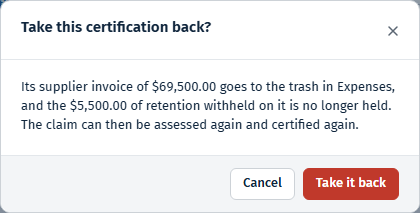
The question says what will happen to the invoice, the retention and any deposit recovered. Choose Take it back.
What happens next
Section titled “What happens next”The invoice goes to the trash in Expenses, the retention withheld on it is no longer held, and the claim is Being assessed again. Everything is recorded in the subcontract’s history.
Good to know
Section titled “Good to know”- Leave the invoice in the Expenses trash. Restoring it from there would count it twice.
- When the button is not shown, one of the conditions above is not met.