

Give the payment schedule
The payment schedule is your answer to the claim: the amount claimed, the amount you will pay, the reasons for any difference, and the date payment is due. Print it, give it to the subcontractor, and record the date you gave it.
Before you start
Section titled “Before you start”- You need the “Issue payment schedules” permission to record it as given.
-
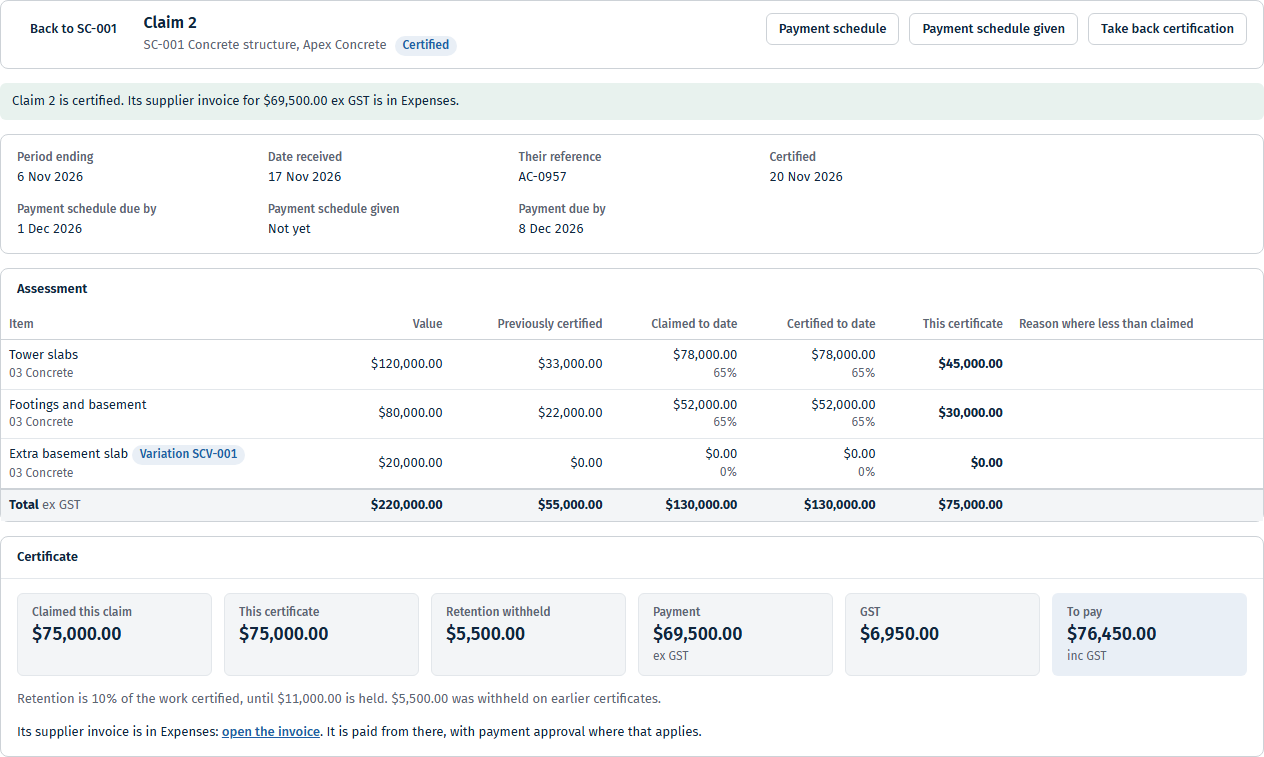
Open the claim and choose Payment schedule, or Draft payment schedule before it is certified. A PDF opens.
-
Give it to the subcontractor yourself. Nothing is emailed.
-
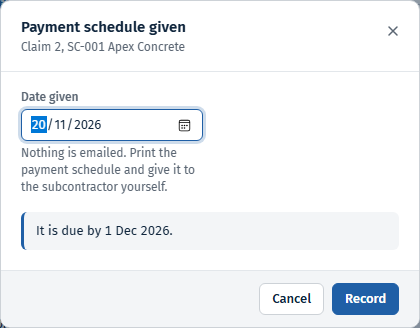
Back on the claim, choose Payment schedule given.
-
Choose the Date given and choose Record.
What happens next
Section titled “What happens next”The claim shows the date given. If the subcontractor uses the portal, they can now download the payment schedule there.
Good to know
Section titled “Good to know”- The screen warns when the payment schedule is due today, when its due date has passed, and when it was given late.
- Change the date given corrects the date.
- The due dates come from the claim terms you set. No period is built in; check them against your contract and your state’s Act.
- The PDF shows retention withheld, GST and any deposit recovered, and for a grid schedule a summary by block and by stage.