

Approve on your phone
When an order, claim, variation or other document is waiting for your approval, decide it from the phone without going back to the office. The decision goes through the same approval workflow as My Approvals.
Before you start
Section titled “Before you start”- You have My Approvals, and the request is waiting on you.
-
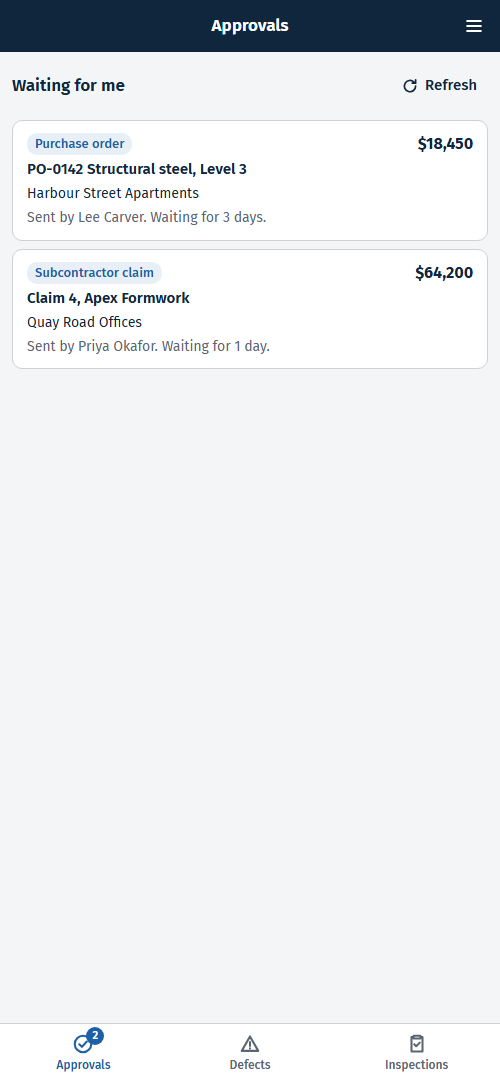
Open On site and the Approvals tab. Waiting for me lists each request waiting on you, oldest first: what it is, its title, the amount, the project, who sent it and how long it has waited. The tab shows how many.
-
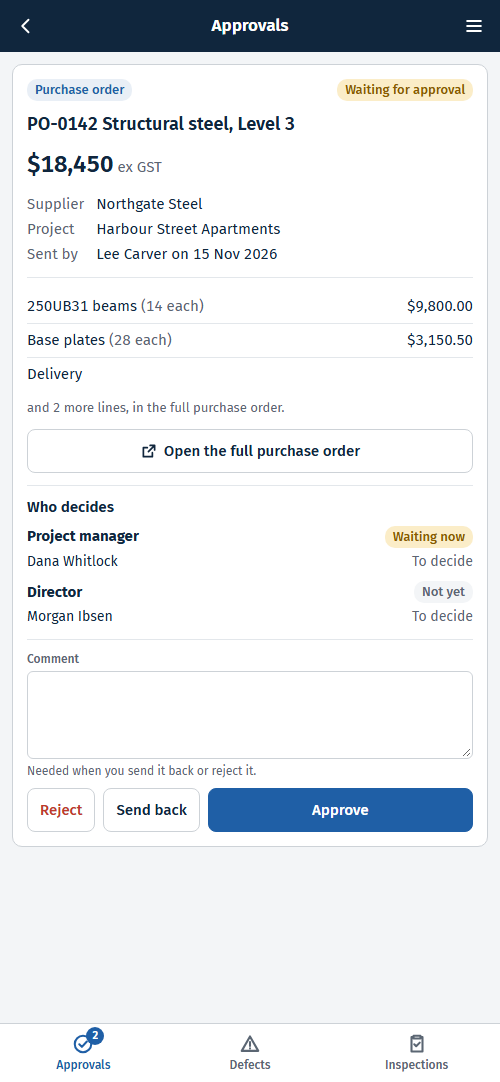
Tap a request. It shows the amount ex GST, who it is with, the project and who sent it, its first few lines, and Who decides at each step. Open the full document opens the desktop page.
-
Type a Comment if you want. It is needed to send back or reject.
-
Tap Approve, Send back or Reject.
-
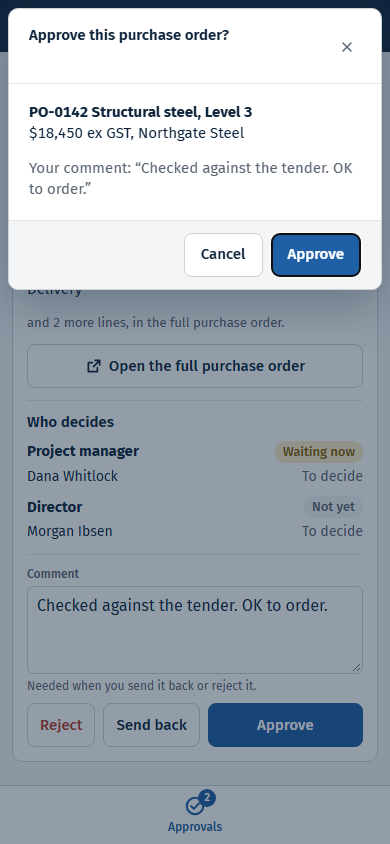
The question says what you are deciding and how much. Tap Approve (or Send back, Reject) to confirm, or Cancel to leave it as it was.
-
You are back on the list, with one line saying what happened, for example “Approved”, or “Your approval is recorded” when it now waits on the next person.
Good to know
Section titled “Good to know”- Send back and Reject need a comment, so the person who sent it knows what to change.
- If someone decided the same request on a computer meanwhile, the phone says it could not be done, and nothing is decided twice.
- The person who sent it, and the next approver, are told exactly as when it is decided in My Approvals.
- Deciding for someone else and taking a request back are done in My Approvals on a computer.