

Cost Forecast
Cost Forecast is the monthly cost report for one estimate. Every cost code shows what was budgeted, what is ordered, what has been spent and what you still expect to spend, so you can see the final cost and the margin before the job ends. Once a month the project manager checks each cost to complete and closes the month, and the next month shows how each code has moved since.
Open Cost Forecast from the menu on the left, under Contracts, then choose the project on the left and the estimate at the top of the page. The figures are the same ones Budget shows for that estimate. All money is ex GST.
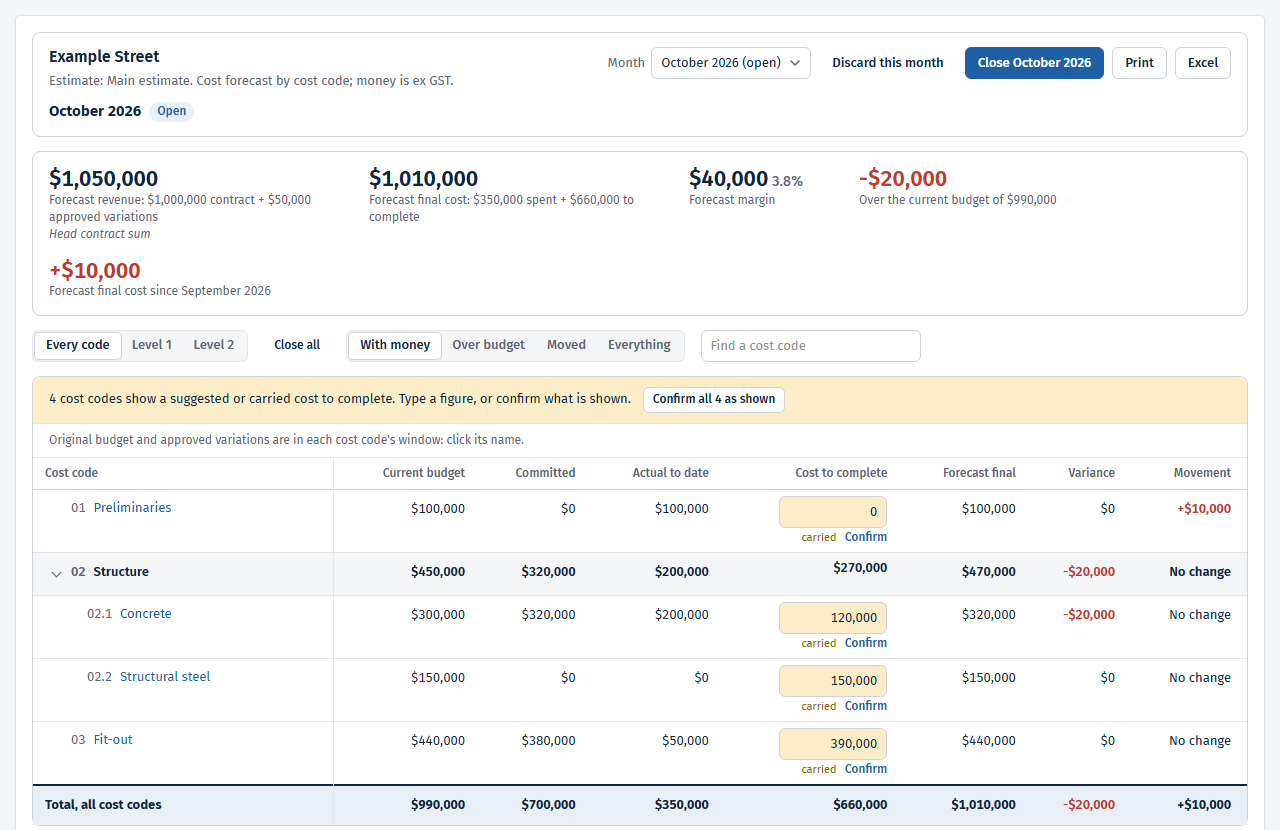
The figures across the top
Section titled “The figures across the top”| Figure | What it is |
|---|---|
| Forecast revenue | The contract plus the client’s approved variations. The contract is the head contract sum when the project has one for this estimate, otherwise the estimate’s sell price. The line under it says which |
| Forecast final cost | What has been spent plus the cost to complete, over every cost code |
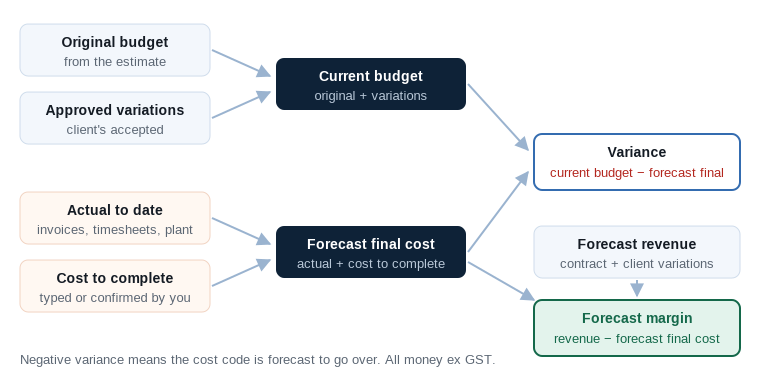
| Forecast margin | Forecast revenue less forecast final cost, in dollars and as a percentage |
| Over (or Within) the current budget | How far the forecast final cost is from the current budget. Over is shown in red |
| Forecast final cost since last month | How far the forecast final cost has moved since the last closed month. Shown once a month has been closed |
The columns
Section titled “The columns”| Column | What it is |
|---|---|
| Original budget | The estimate’s budget on the cost code |
| Approved variations | The cost of the client’s accepted variations on the code |
| Finishes selections | Only where the project shows Finishes in Budget: the locked unit selections’ difference from the standard finishes |
| Current budget | Original budget plus approved variations (plus Finishes selections) |
| Committed | Purchase orders and subcontracts on the code, including approved subcontract variations. Cancelled (voided) orders are left out |
| Actual to date | Supplier invoices and expenses, approved timesheet hours at their cost rate, and the charge for owned plant |
| Cost to complete | What you still expect to spend. Typed by you, or a suggestion until you confirm it |
| Forecast final | Actual to date plus cost to complete |
| Variance | Current budget less forecast final. Red when the code is forecast to go over |
| Movement | Forecast final now less forecast final in the last closed month |
On a narrower screen, original budget and approved variations move into each cost code’s window: click the code’s name. On a phone each cost code is a card with its cost to complete, forecast final, variance and movement.
Where a cost to complete comes from
Section titled “Where a cost to complete comes from”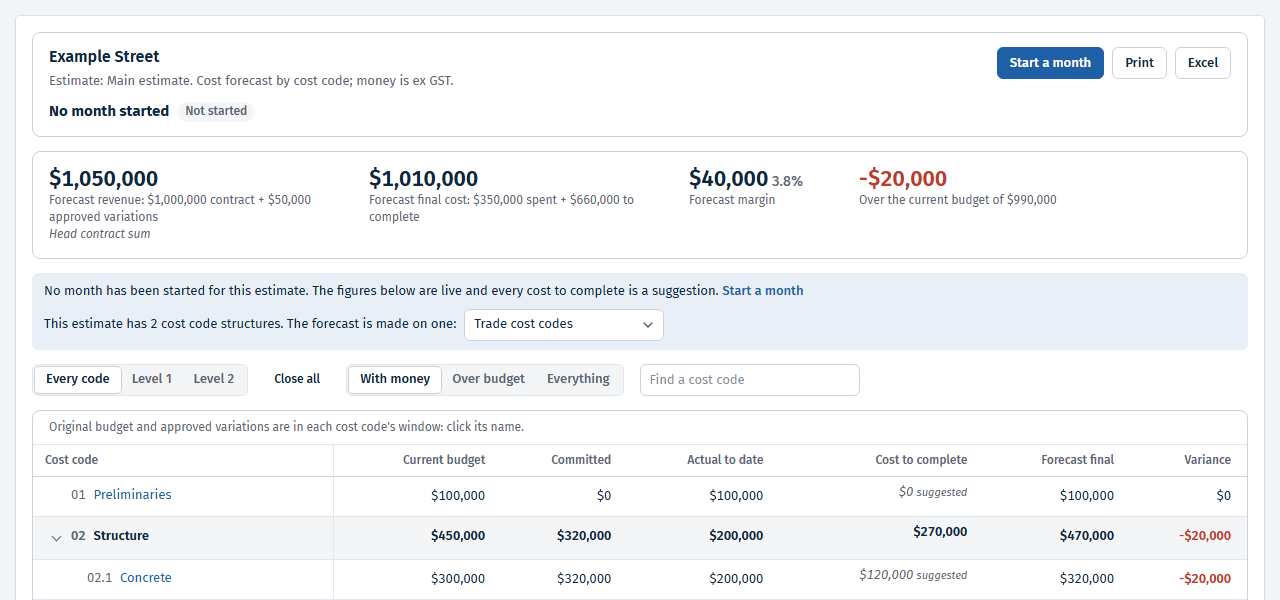
Each cost to complete is marked so you can tell who decided it:
- suggested: worked out by SmarteBuild and stored nowhere. It is what is still to come on orders, plus what is left of the budget to buy outside orders. The cost code’s window says how it is made up.
- carried: the code keeps last month’s forecast final cost, so its cost to complete goes down by itself as costs arrive.
- No mark: typed or confirmed by a person this month.
Who can do what
Section titled “Who can do what”- See forecasts and margin: see the figures, revenue and margin.
- Edit cost to complete: start a month, type or confirm costs to complete, write notes and close the month. The Project manager role carries it.
- Reopen a closed month: reopen a closed month. Nobody but an administrator has it until it is given on the Users page.