

Check the trust account agrees with the ledger
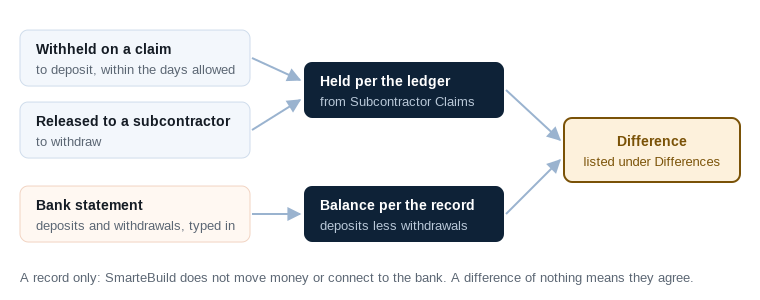
The retention you hold from subcontractors should be sitting in the trust account. Each account compares the two and lists every difference, so you can see what still needs depositing or withdrawing.
Before you start
Section titled “Before you start”- You need the “See the trust account record” permission. Nobody but an administrator has it until it is ticked under Users.
-
Open Retention Register, the Trust account tab, and click the account.
-
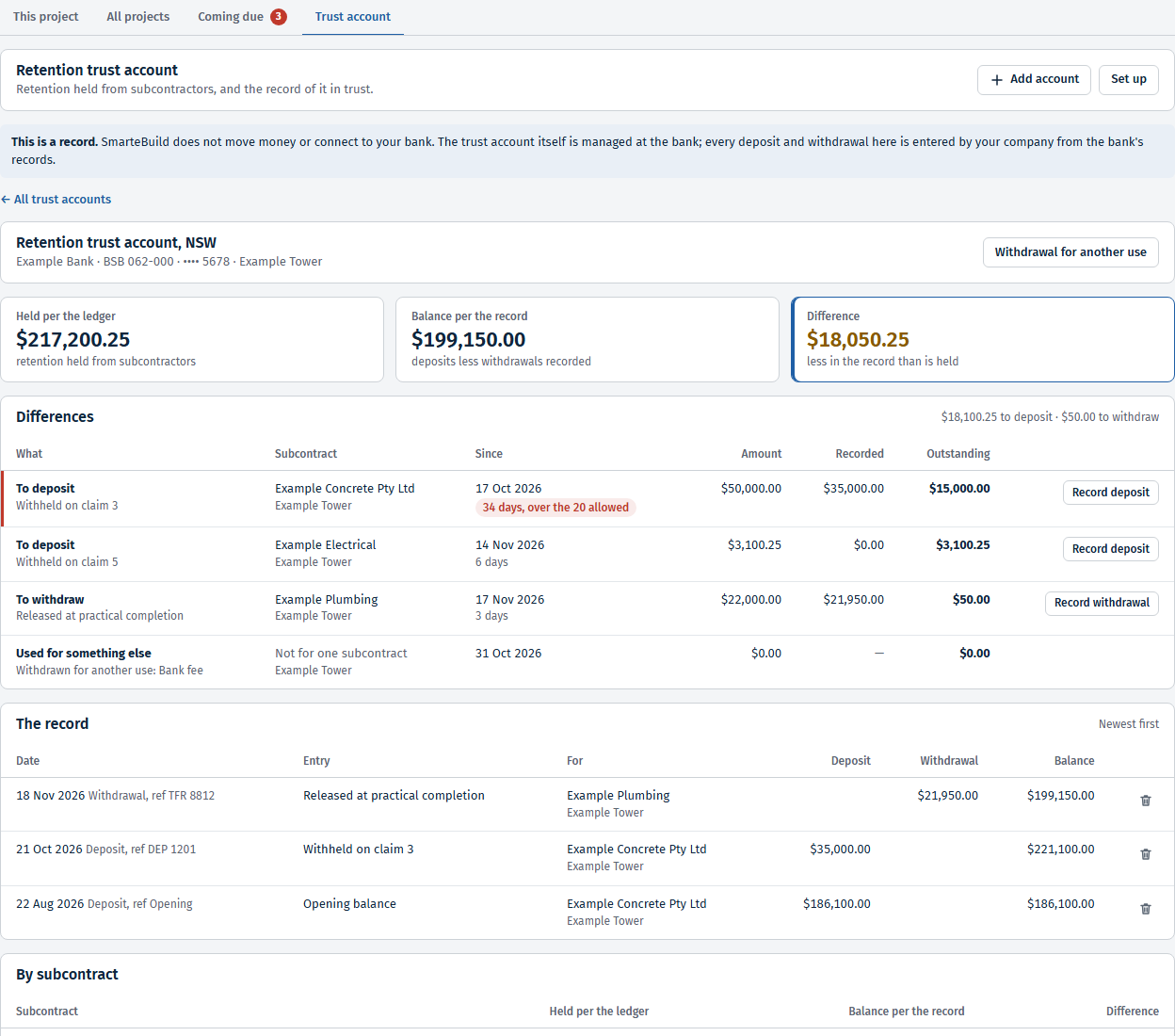
Read the three figures across the top: Held per the ledger, Balance per the record and Difference. A difference of nothing means the record agrees with the ledger.
-
Under Differences, read what makes up any gap: amounts withheld not yet deposited, releases not yet withdrawn, and withdrawals for another use. Each shows how many days it has been outstanding.
-
Further down, each subcontract shows what is held per the ledger, the balance per the record and the difference.
-
For a statement, choose the From and To dates under Statement, then Print or Excel. It shows, by subcontractor, the balance at the start, each deposit and withdrawal, and the balance at the end.
Good to know
Section titled “Good to know”- The differences always add up to the gap between what is held and the balance.
- A row is marked late only when the days allowed are set and have passed.
- A certification taken back after its deposit was recorded shows as a difference until the money is dealt with.
- An account opens only for someone who can see every project it covers.